memStock Support
Service site

Using Talk Rooms

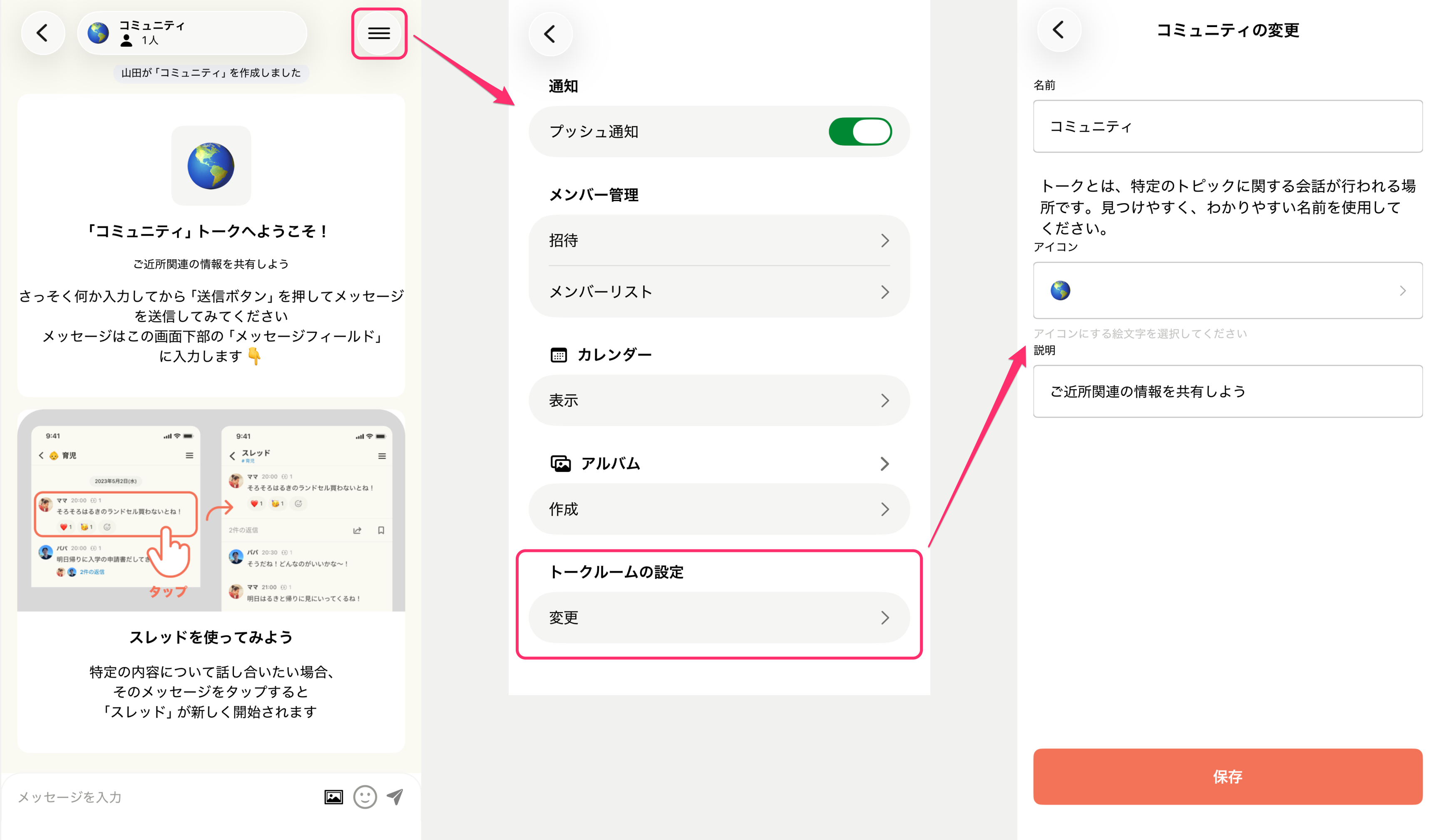
I want to change a Talk Room's name.

You can change it from the Talk Room's settings screen. Change the name, icon, and Talk Room description, then press the Save button to complete the change.

rename.png

Create a Talk Room

Tap the [+] at the top right of the Talk Room list screen to create a new one.

memStock lets you separate topics by Talk Room, so use an easy-to-understand name like "Travel," "Wedding," or "Shopping." The description is optional, but it's used to tell members who join later what the room is about.
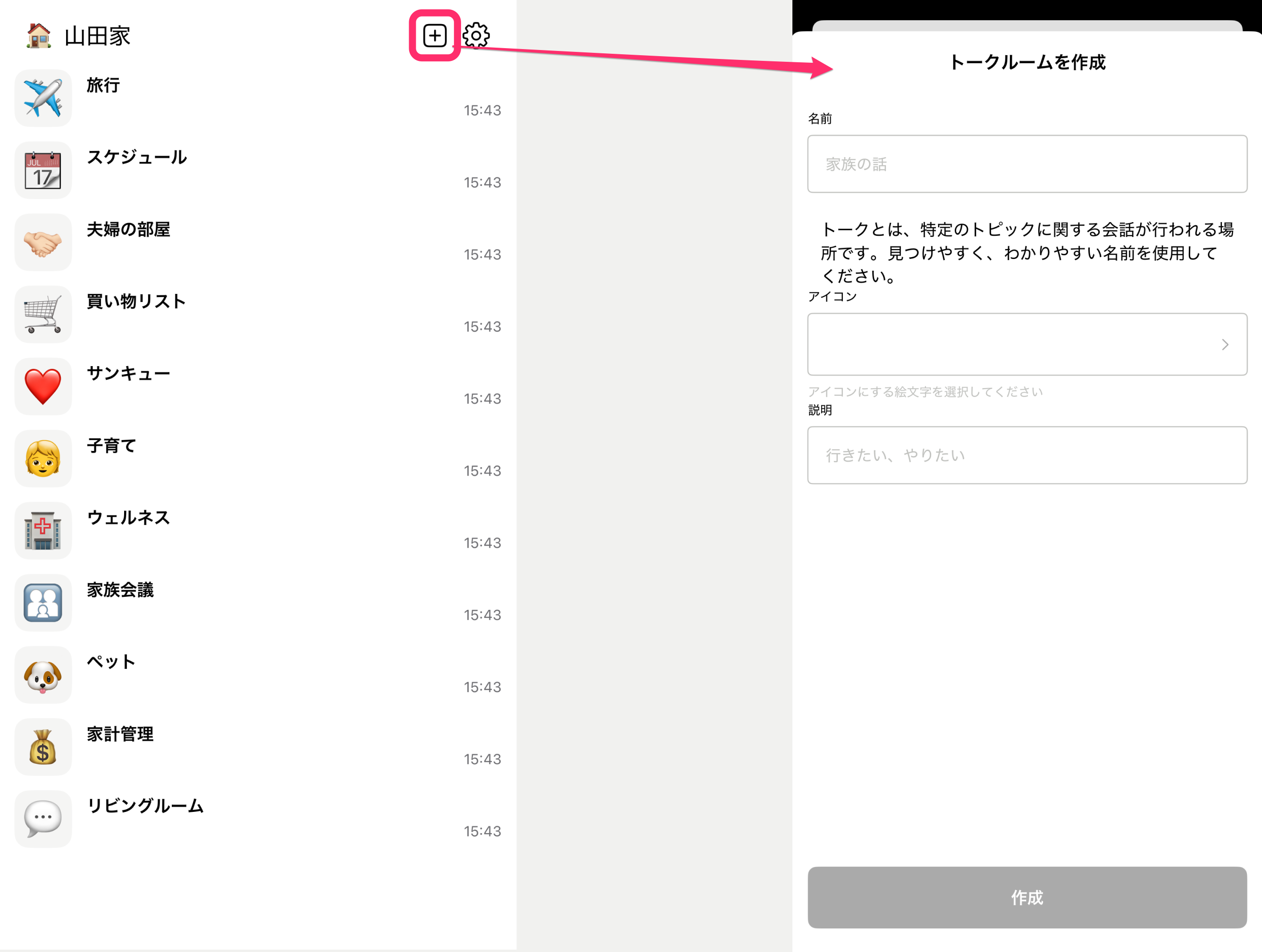

Frame_9.png

Using a Talk Room

You can send messages from the text box at the bottom of the screen.

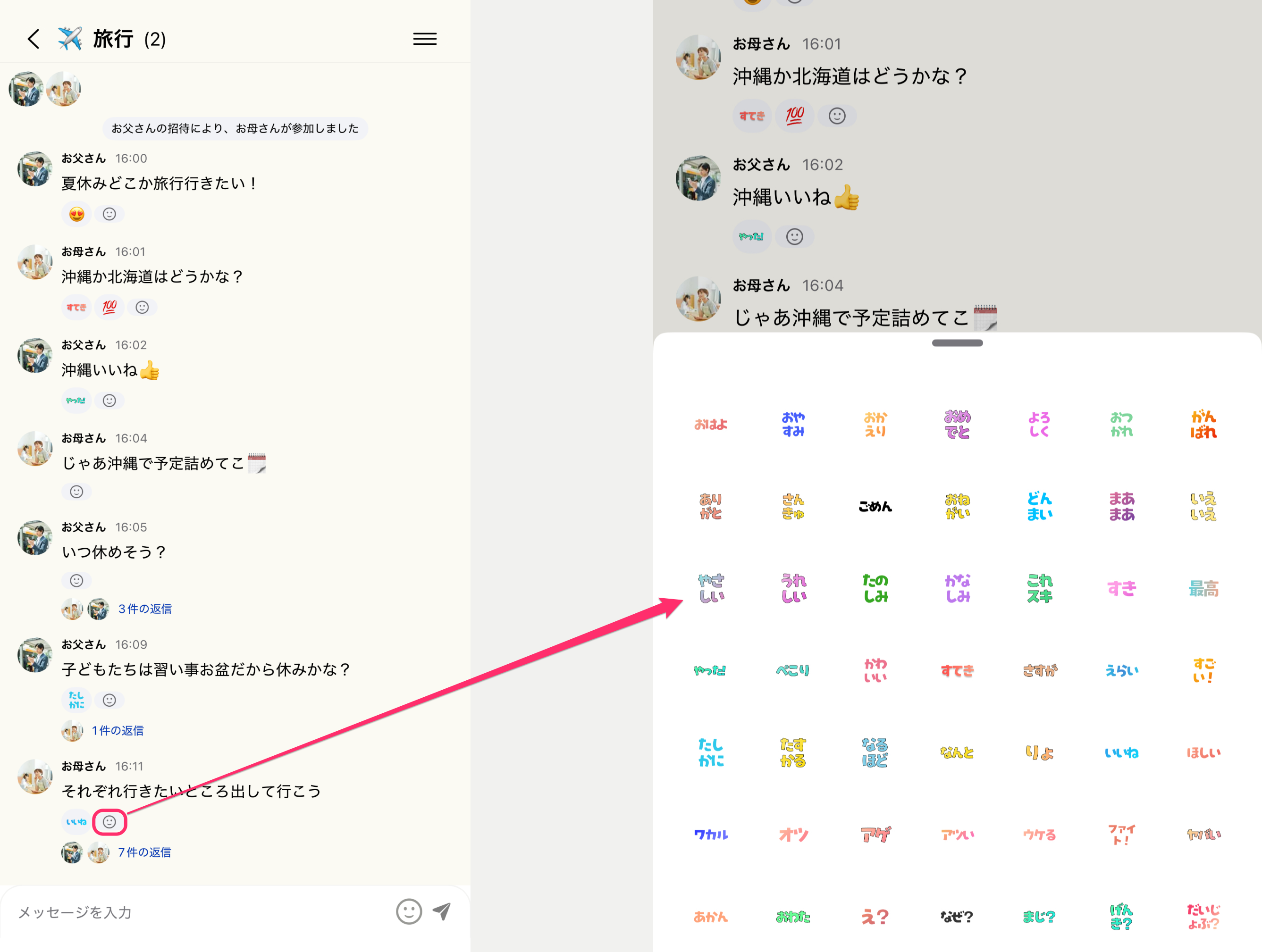
Tap the face icon below each message to show a list of stamps. Send a stamp to react to a message.

Frame_10.png

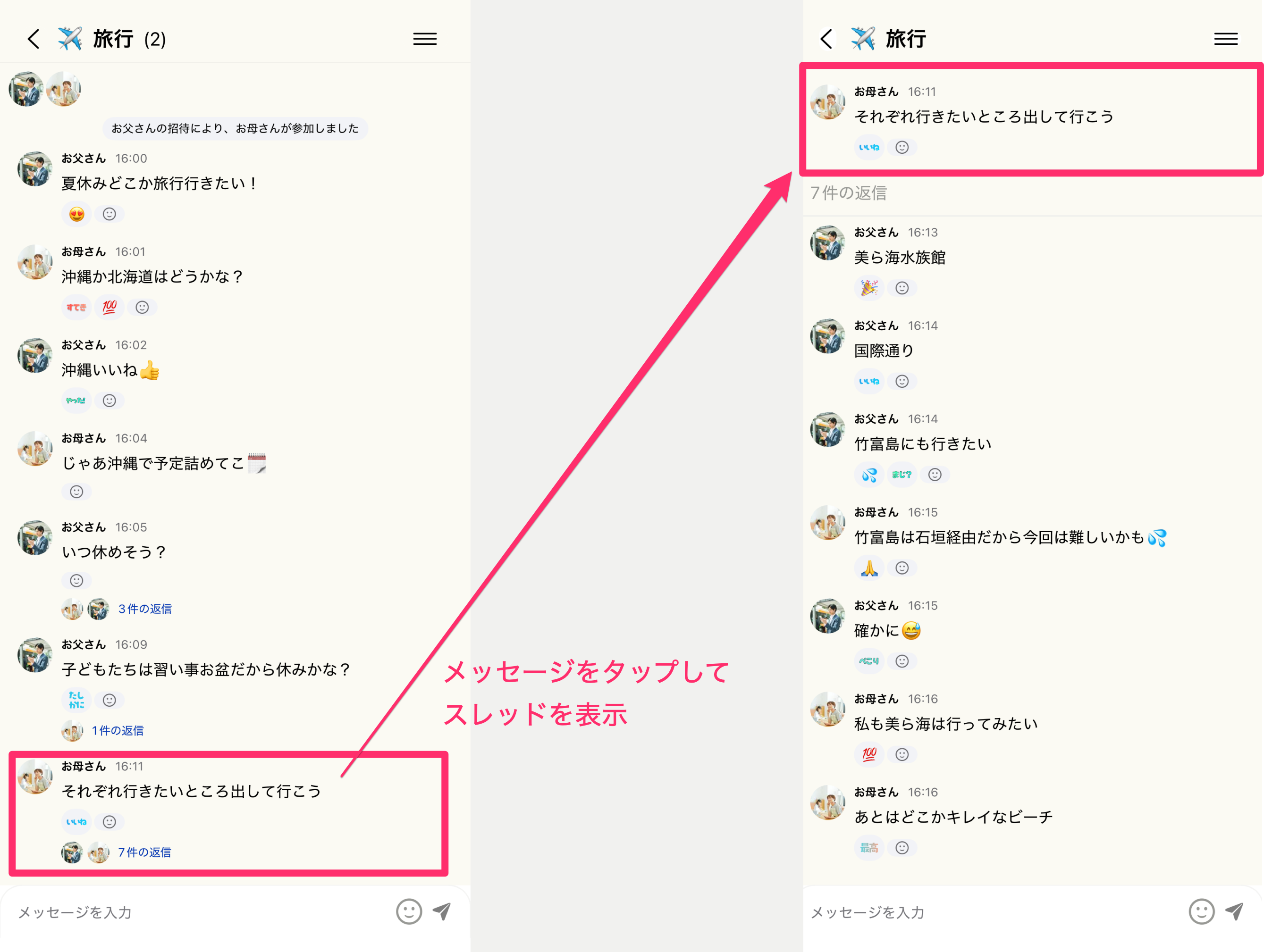
Also, tapping a message opens the thread view. When you want to dig deeper into a topic, try using threads.

Frame_11.png