
Features
I want to delete a message.
I'm not receiving push notifications.
- From your device's Settings app, please check that notifications from "memStock" are not turned off.
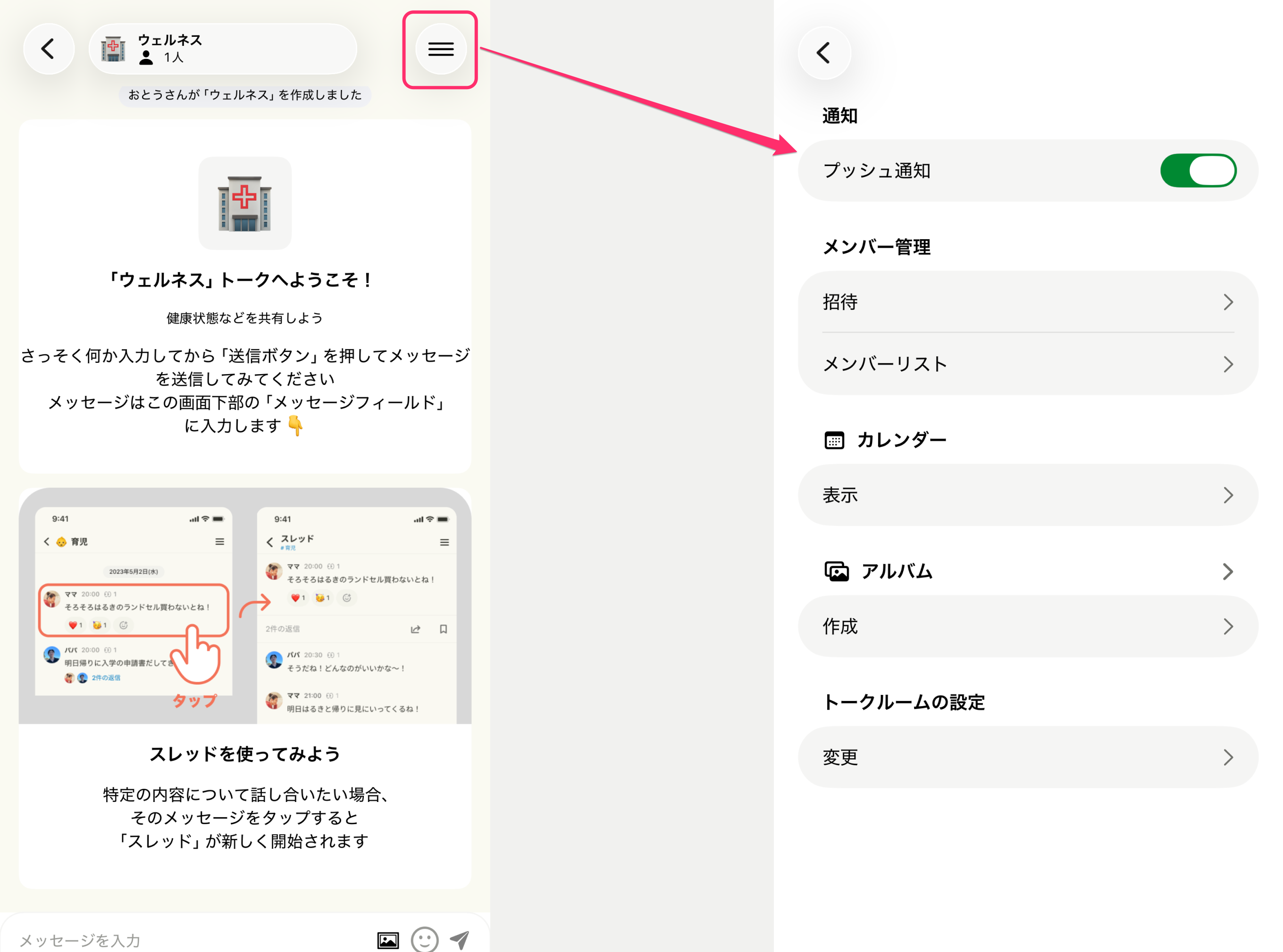
You can also toggle notifications on or off from each Talk Room's settings.
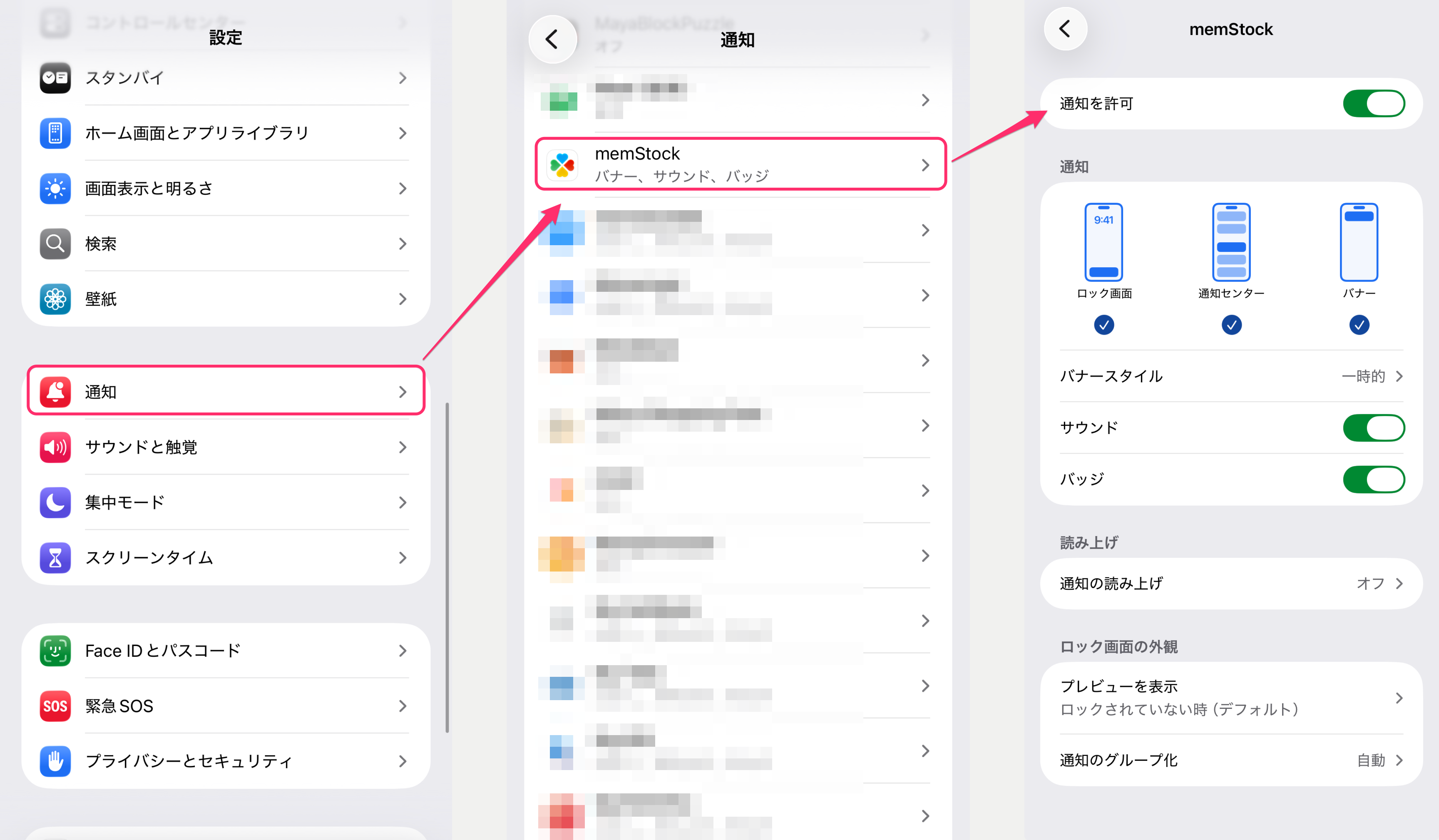
- Please also check the notification settings of each Talk Room (I want to stop receiving push notifications).
I want to stop receiving push notifications.
Where can I switch family groups?
Can I change my name for each family group?
Yes, you can.
Select the family group whose name you want to change (Where can I switch family groups?). From the settings at the top right of the Talk Room list, tap [Family settings - Account], change your name, and tap the Update button.
Can I delete a family group?
Yes, you can.
With an Admin account, from the settings at the top right of the Talk Room list, tap [Family settings - Edit family group], then tap the delete button at the top right to go to the deletion screen. Review the description and, if there are no issues, complete email verification.
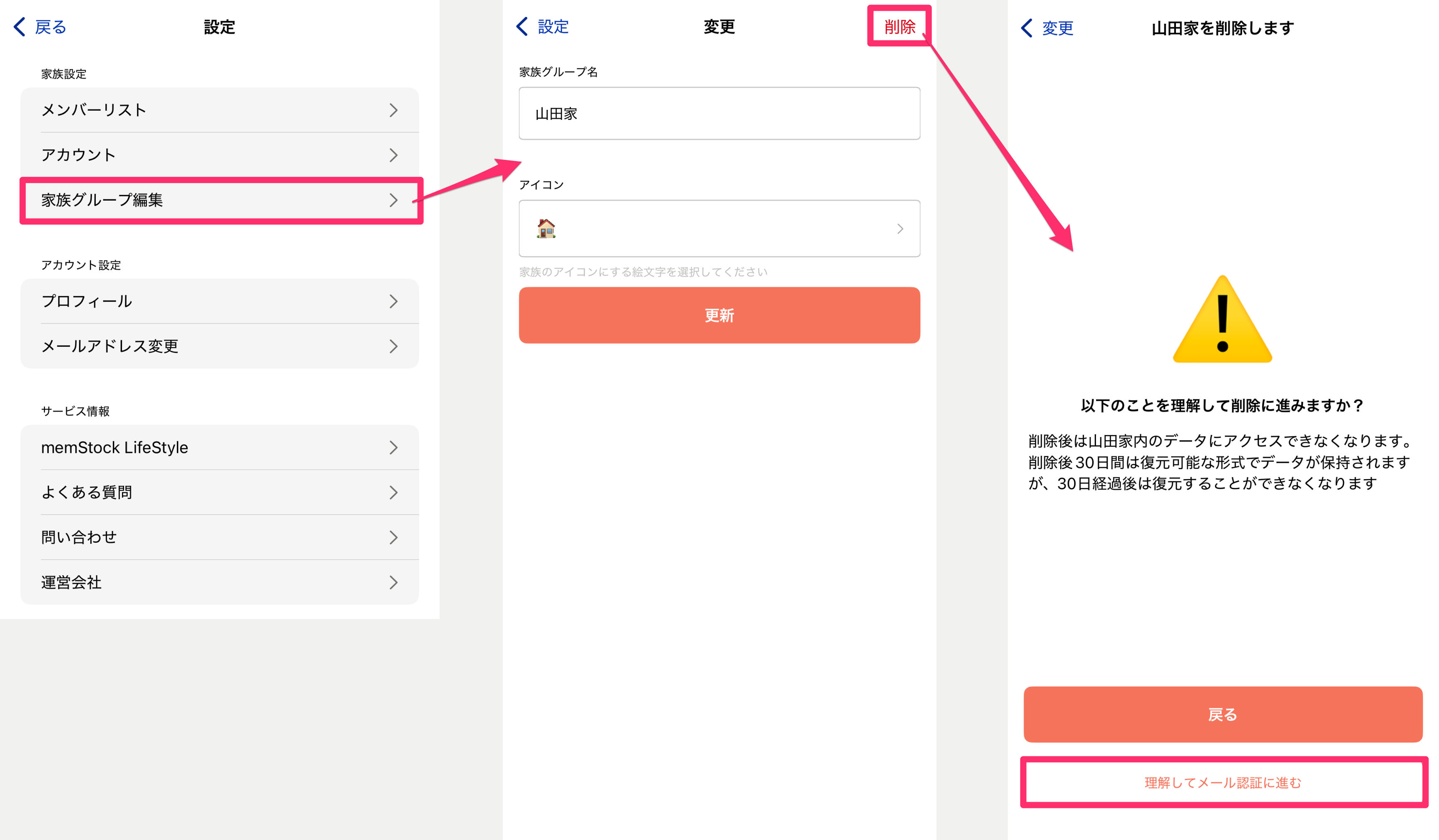
After email verification, you'll be taken to a keyword entry screen, so follow the instructions to delete the group if there are no issues.
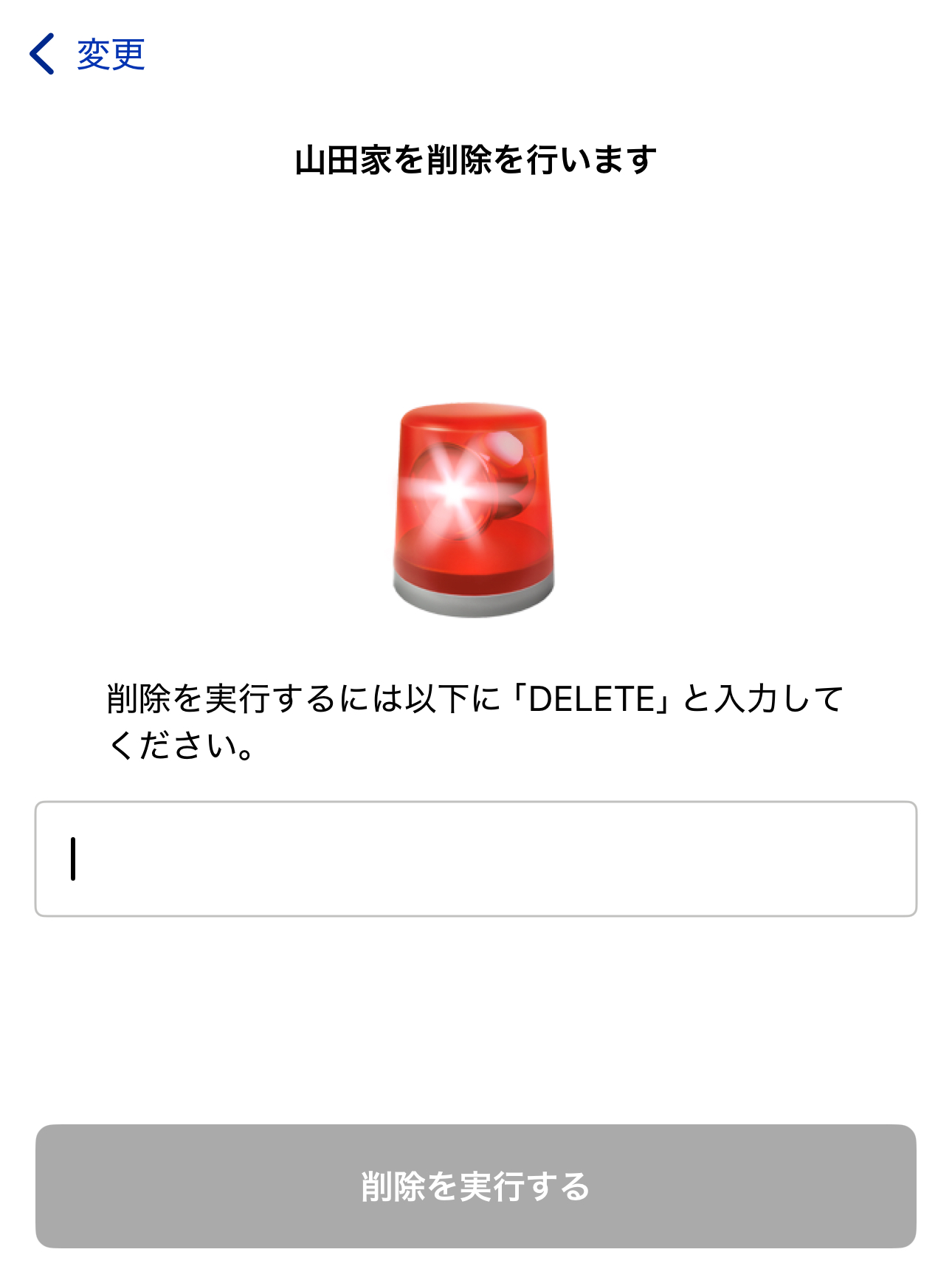
Note that as the group Admin, you can delete the group even if other members are present. When deleting, please notify and confirm with the other members in advance.