memStock Support
Service site

Changing Settings

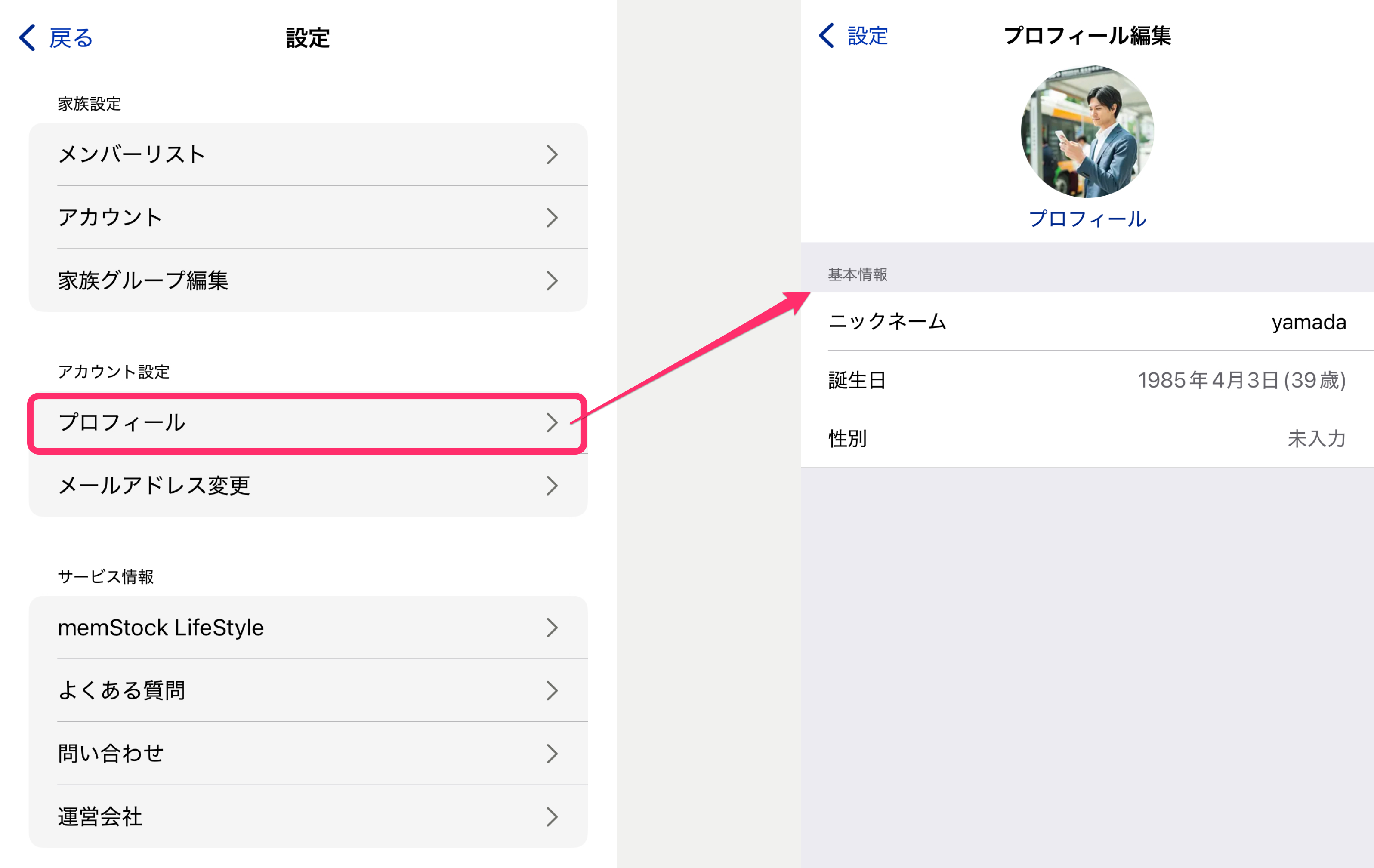
Profile

You can edit your profile from [Settings] > [Account settings - Profile].

Tap the photo icon and select a photo to set the profile photo shown in Talk Rooms and elsewhere. For basic information, tap each item, make changes, and tap the Update button to save.

Frame_13.png

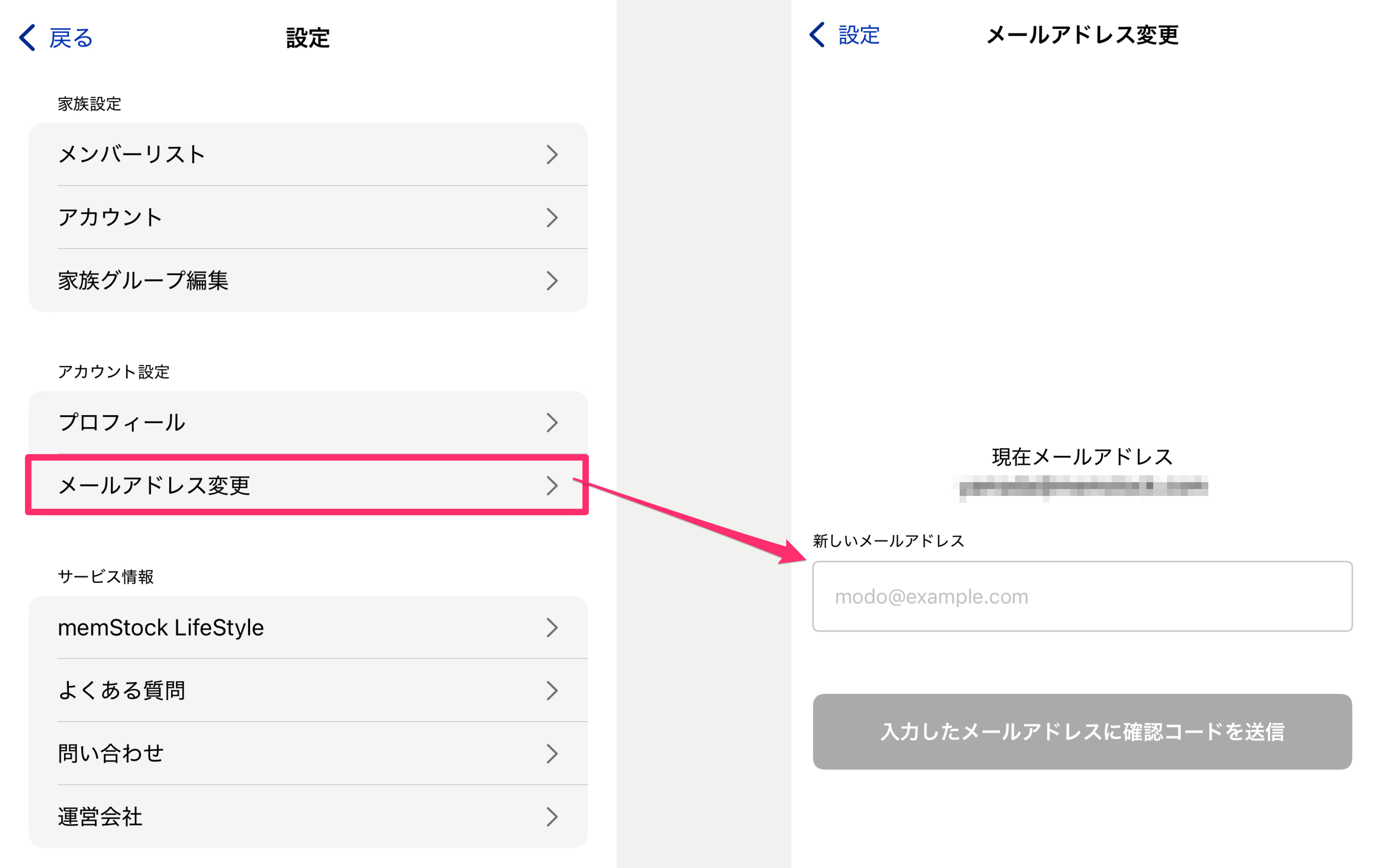
Change email address

You can change your email address from [Settings] > [Account settings - Change email address].

Enter your new email address and tap [Send verification code], and a 6-digit verification code will be sent to the new address. Enter the verification code on the next screen to complete the change.

Frame_13.png

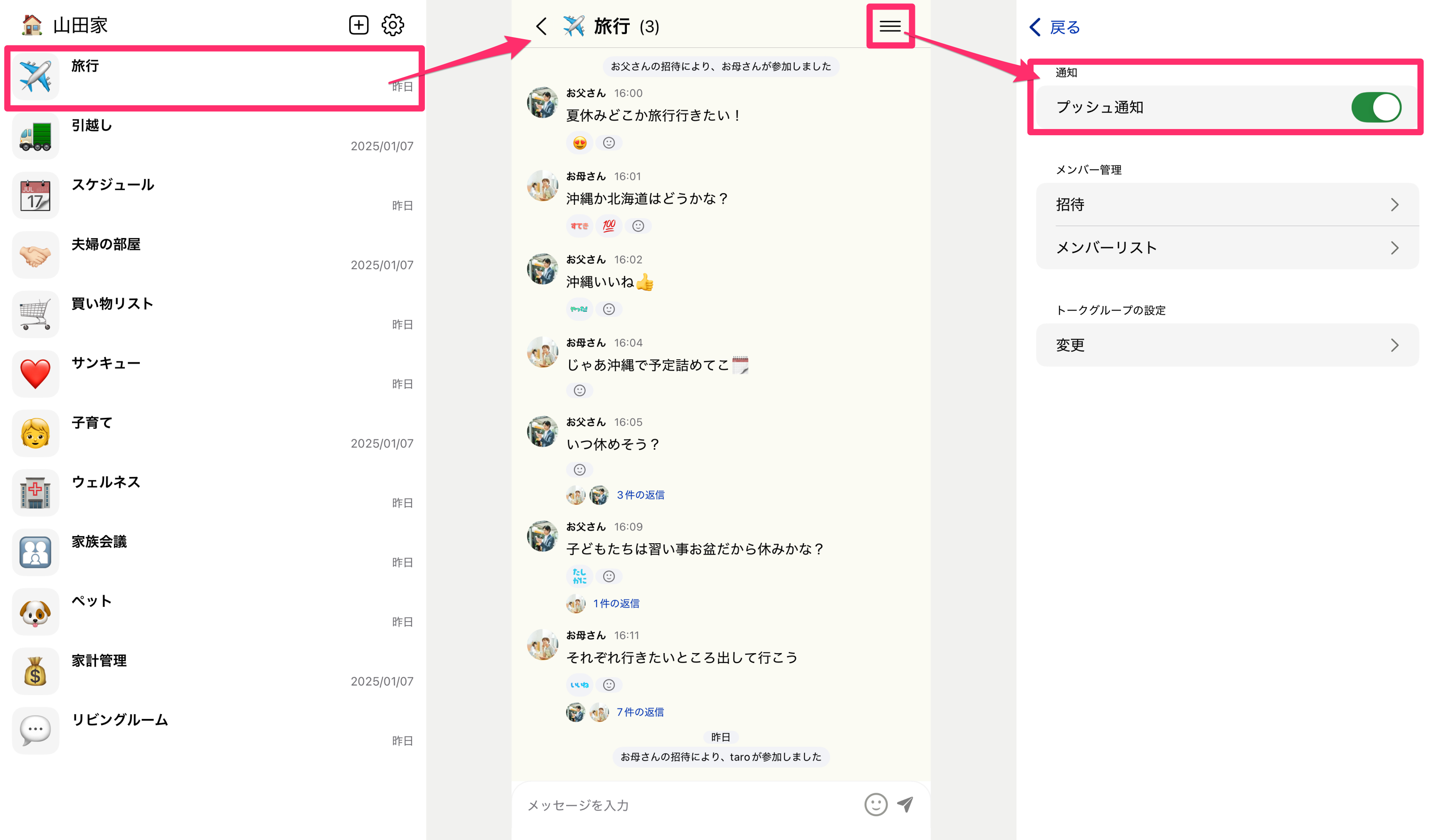
Push notifications

You can toggle notifications on and off for each Talk Room.

Go to the Talk settings screen from the menu at the top right of a Talk Room, and toggle [Notifications - Push notifications] to switch them on or off.

Frame_14.png