Change email address
Updated: 2026/04/22
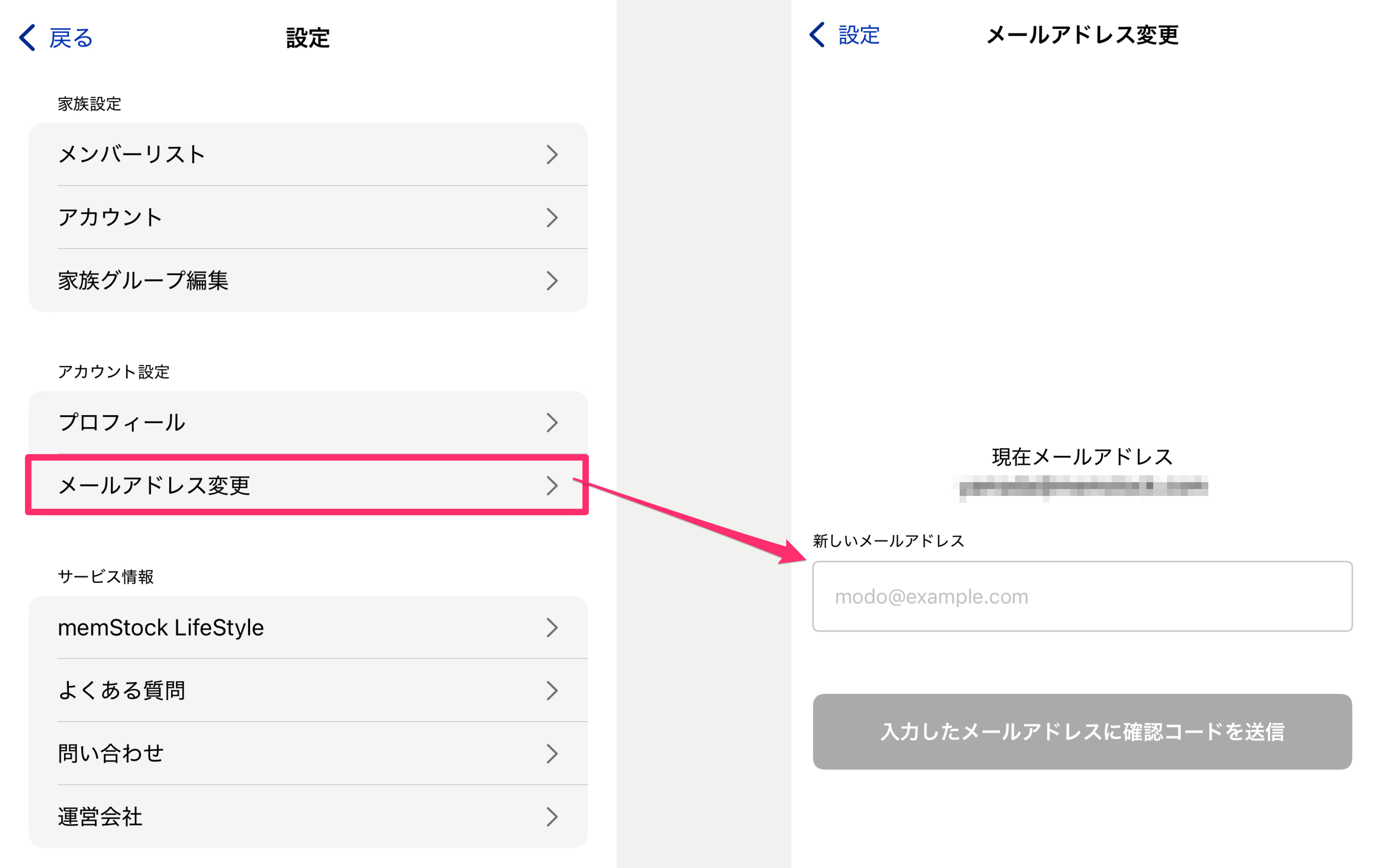
You can change your email address from [Settings] > [Account settings - Change email address].
Enter your new email address and tap [Send verification code], and a 6-digit verification code will be sent to the new address. Enter the verification code on the next screen to complete the change.