How can I delete my memStock account?
Updated: 2026/04/22
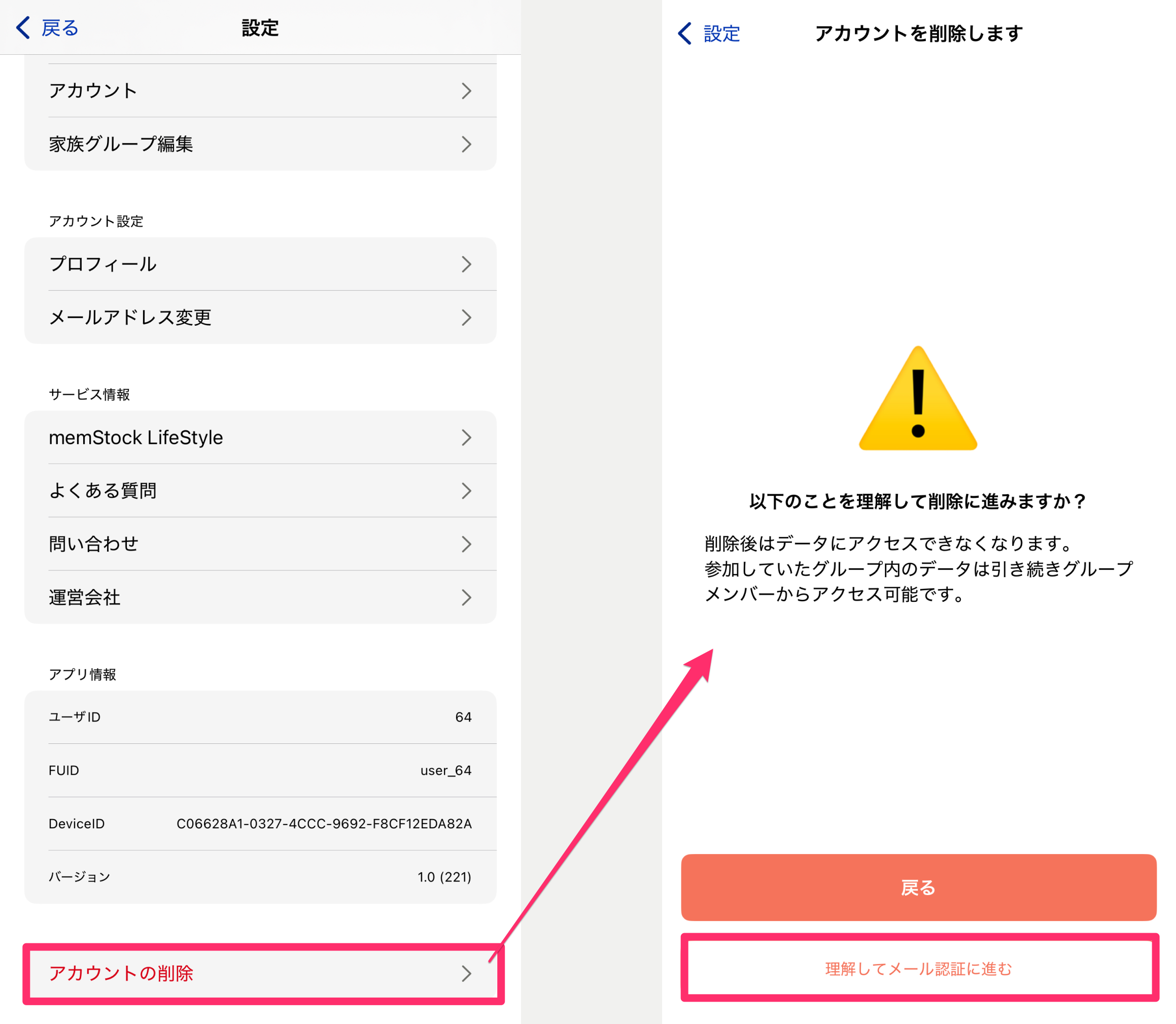
Tap the [Delete account] button at the very bottom of the settings at the top right of the Talk Room list, review the notes, and complete email verification.
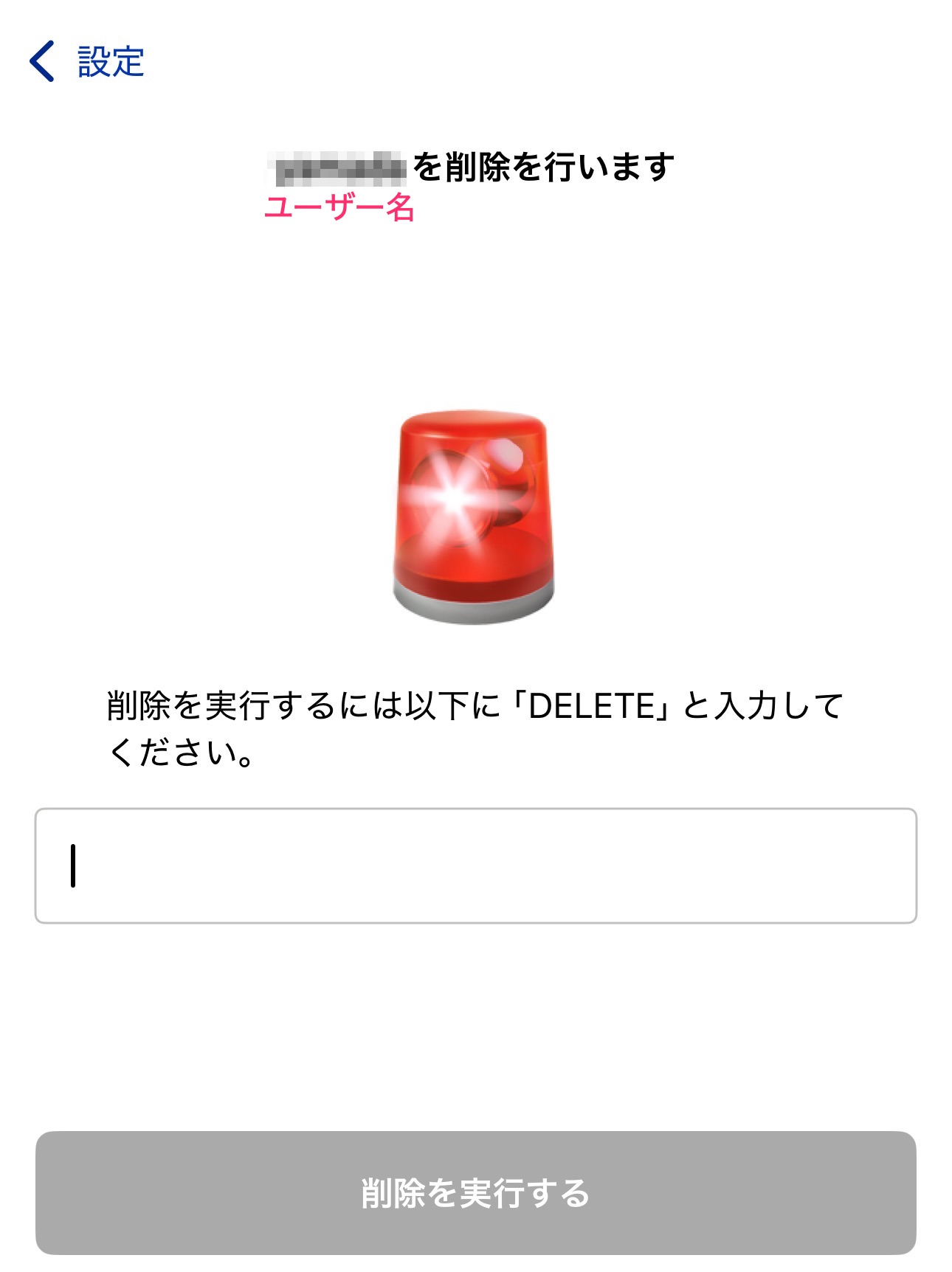
After that, you'll be taken to a keyword entry screen, so follow the instructions to delete your account if there are no issues.
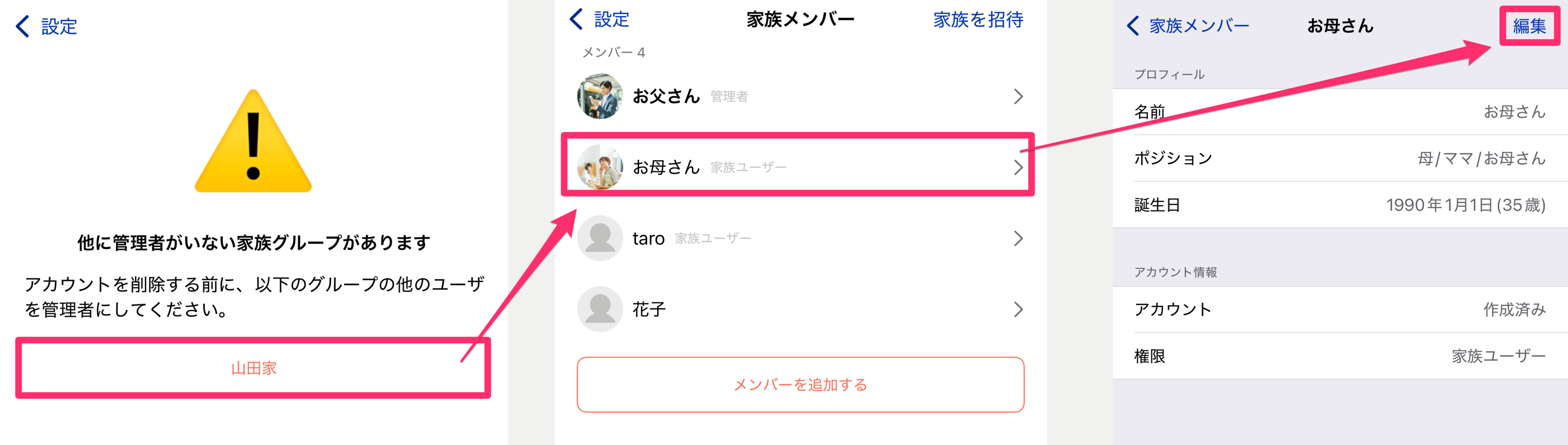
However, if other members belong to your family group and you are the only Admin, you cannot delete your account. In that case, change another family member to Admin first, then delete your account again.