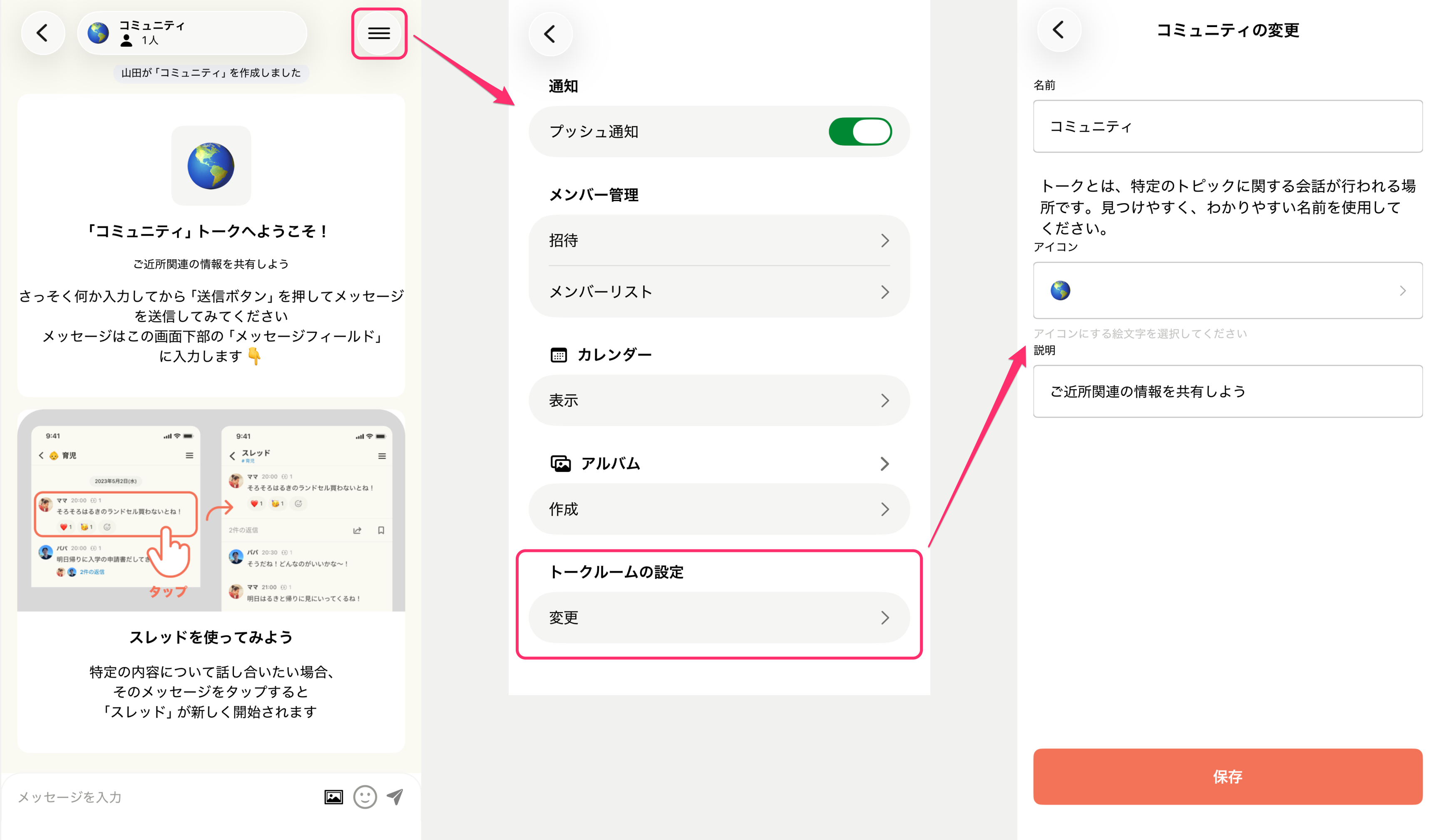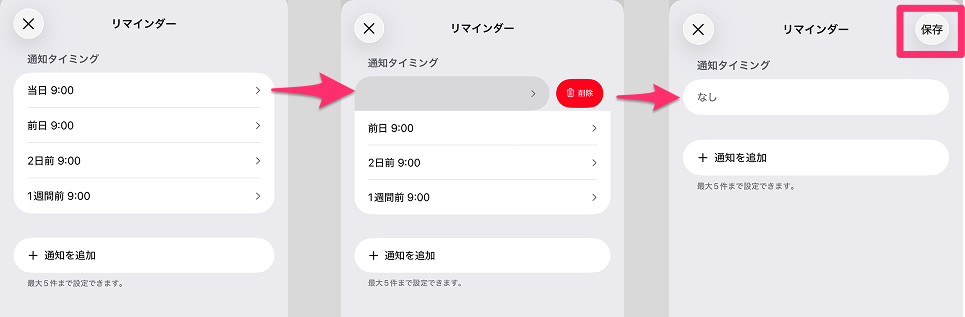
FAQ
What is memStock?
What are the recommended requirements for memStock?
I registered my email address. Is verification required?
I requested a verification email but it hasn't arrived.
Please check the following.
- Check your spam folder Make sure the email we sent hasn't been filtered into your spam folder.
- Allow emails from memStock If you use domain or address filtering, please change your settings to allow emails from "memstock.com".
- Check that the destination email address is correct If it's incorrect, please set it again.
I want to change my email address.
You can change it from the settings button at the top right of the Talk list, under [Change email address]. Change email address
Can I transfer my information when I change devices?
What's the difference between Admin, Family user, and Guest?
- Admin Has management permissions such as configuring the family group. Can invite and remove Family users and Guests. Typically a parent.
- Family user A user who is allowed to talk in the Talk Rooms of the group they were invited to. Typically a child.
- Guest Can access only specific Talk Rooms within the group they were invited to. Typically grandparents or relatives.
I want to invite my family.
I want to invite grandparents or relatives.
You can invite them from I want to invite my family. By selecting "Guest" on the permission selection screen, you can invite them as a member who can access only the Talk Rooms you choose.
How many people can join a family group?
I invited someone by mistake and want to cancel it.
I want to delete a message.
I'm not receiving push notifications.
- From your device's Settings app, please check that notifications from "memStock" are not turned off.
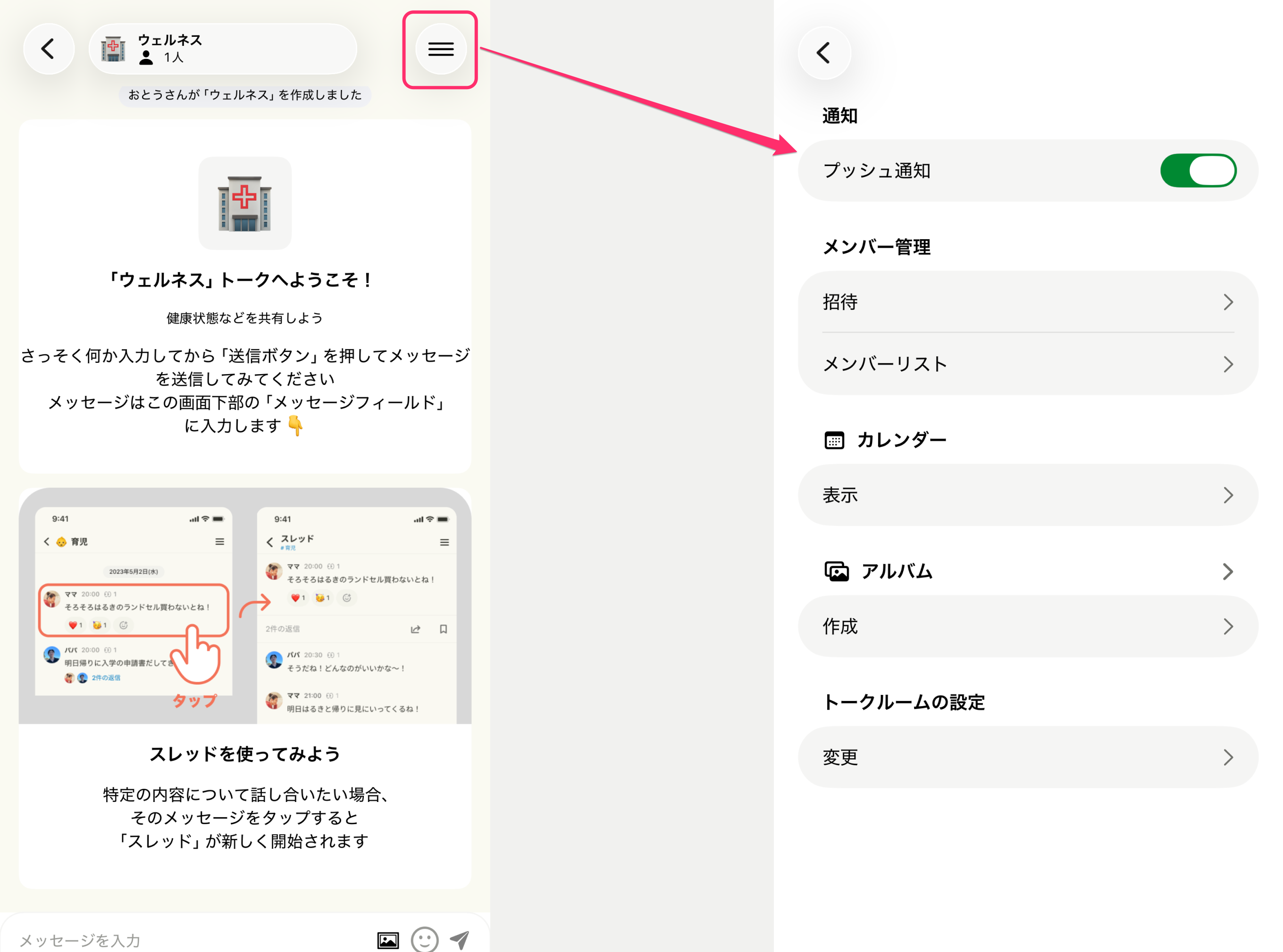
You can also toggle notifications on or off from each Talk Room's settings.
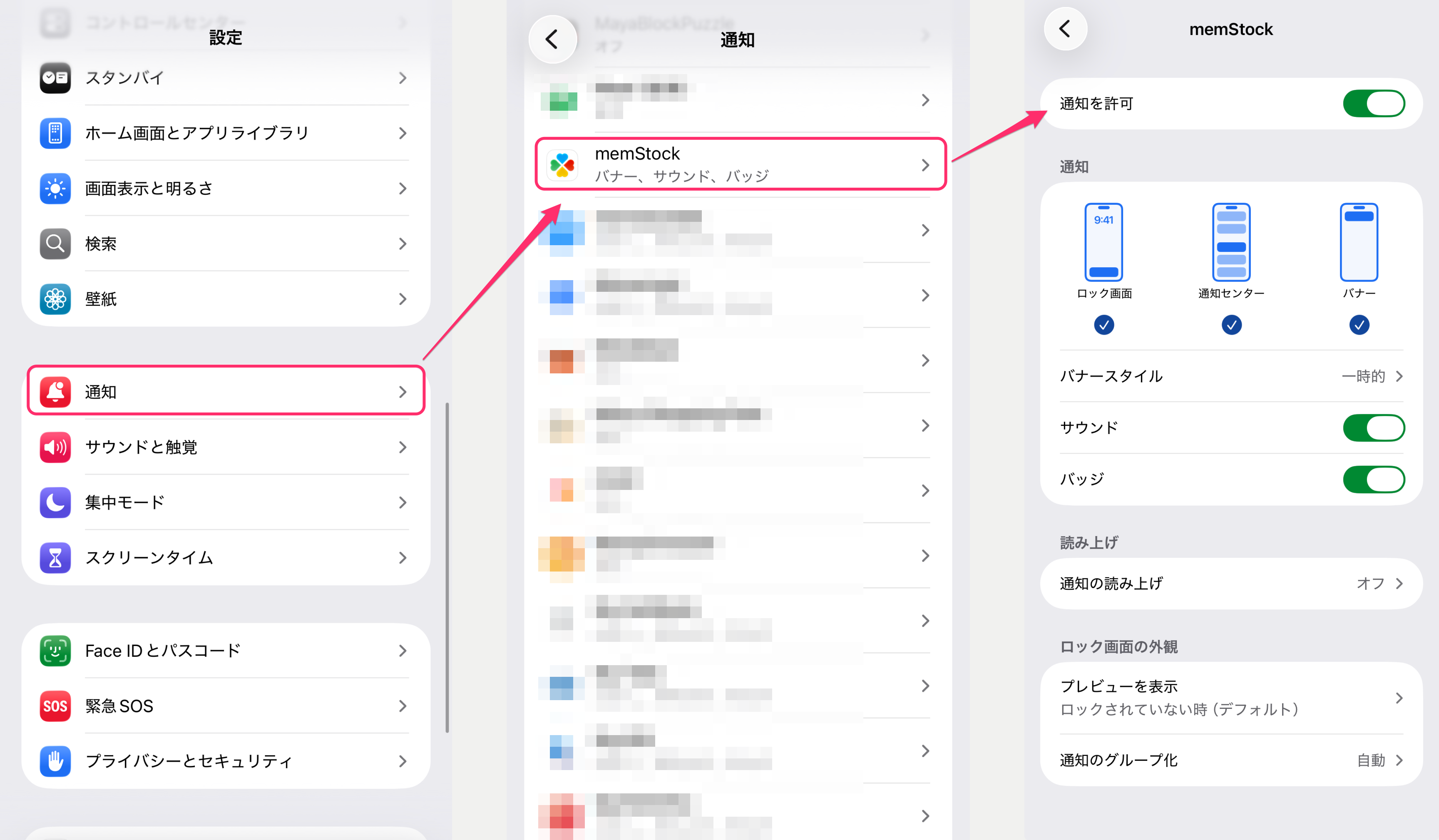
- Please also check the notification settings of each Talk Room (I want to stop receiving push notifications).
I want to stop receiving push notifications.
Where can I switch family groups?
Can I change my name for each family group?
Yes, you can.
Select the family group whose name you want to change (Where can I switch family groups?). From the settings at the top right of the Talk Room list, tap [Family settings - Account], change your name, and tap the Update button.
Can I delete a family group?
Yes, you can.
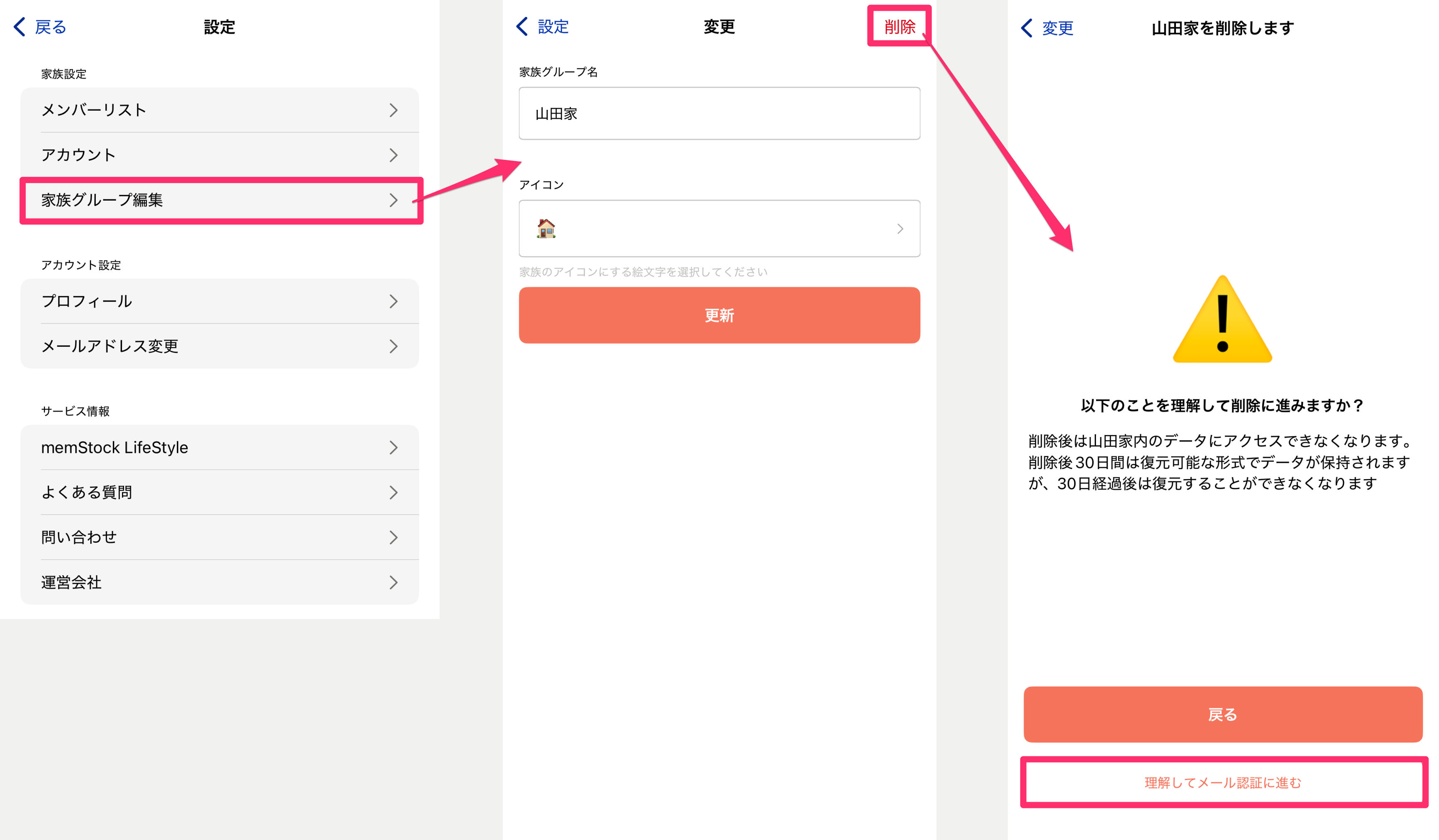
With an Admin account, from the settings at the top right of the Talk Room list, tap [Family settings - Edit family group], then tap the delete button at the top right to go to the deletion screen. Review the description and, if there are no issues, complete email verification.
After email verification, you'll be taken to a keyword entry screen, so follow the instructions to delete the group if there are no issues.
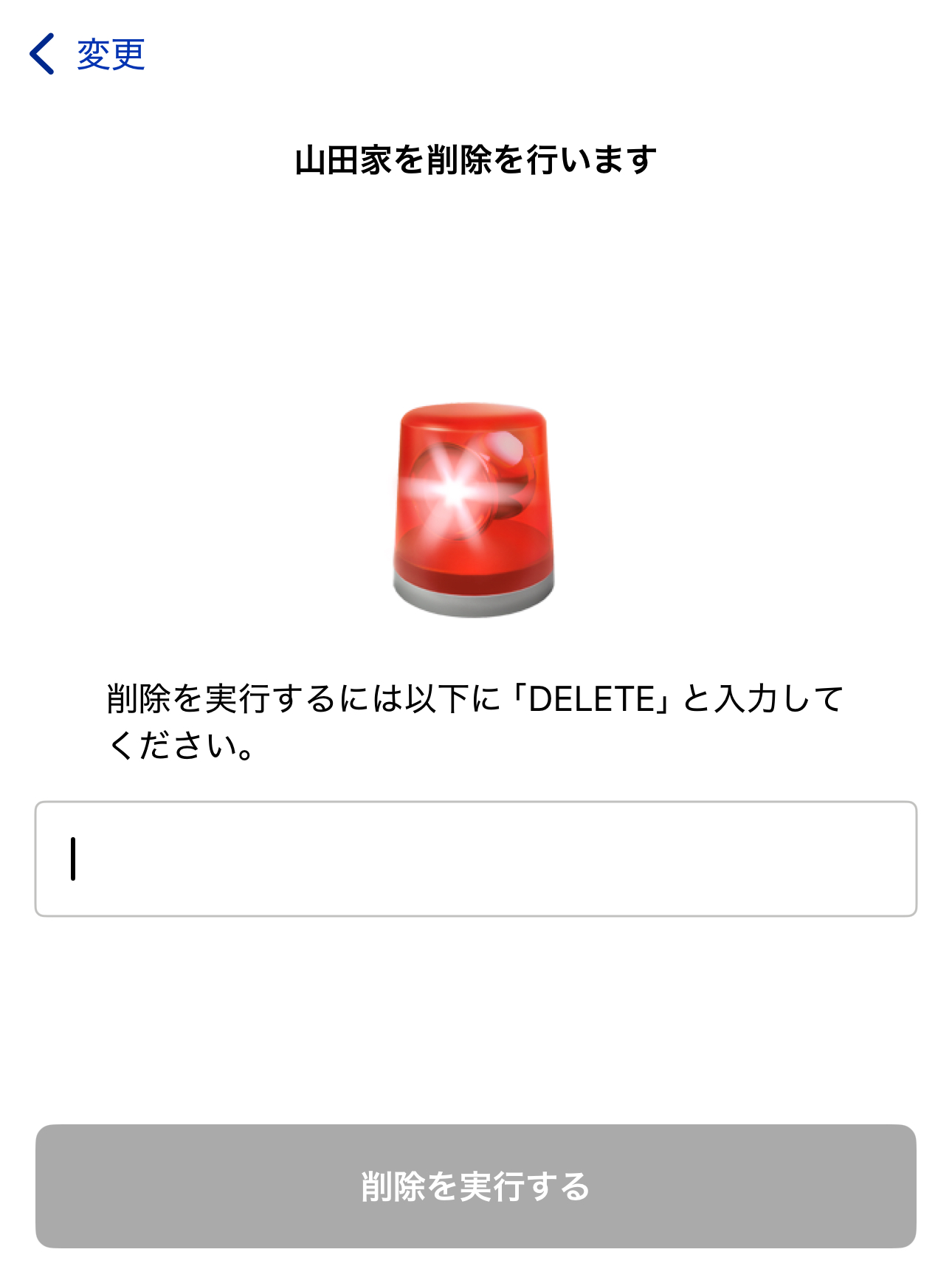
Note that as the group Admin, you can delete the group even if other members are present. When deleting, please notify and confirm with the other members in advance.
What kind of information do you collect?
User personal information is collected only to the extent necessary to provide the service. For details, please see our Privacy Policy.
Can I disable cookies?
Yes, you can. For details, please refer to our External Transmission Policy.
Who can access the data?
In the following cases, specific authorized personnel may access it.
- When specific authorized personnel handle customer support, service operation and improvement, or the investigation of security issues
- Vendors that provide secure infrastructure for storing data, or service providers that perform access analysis, etc.
- When we receive a legally based request from the police or government authorities
How do I sign out of memStock?
How can I delete my memStock account?
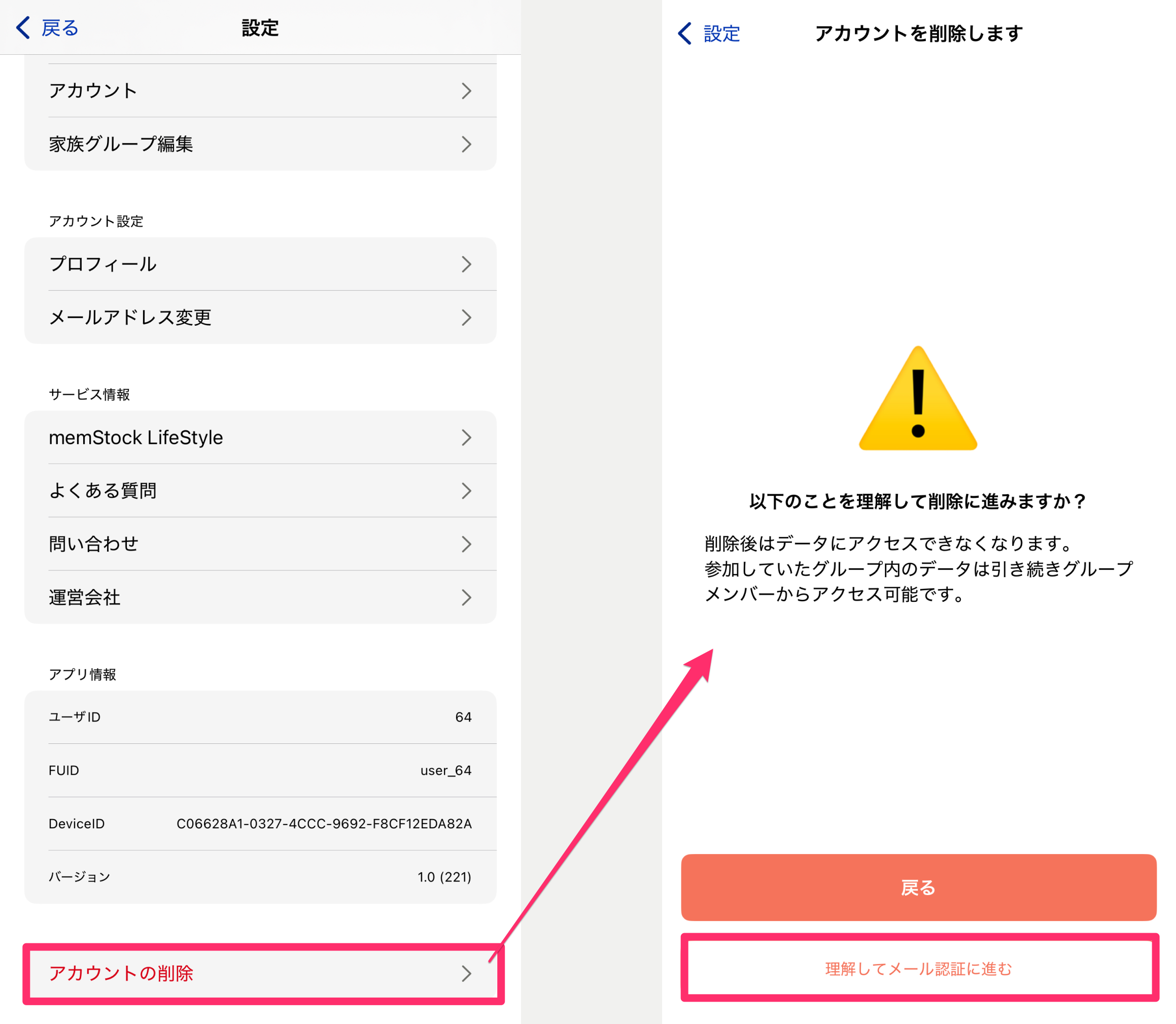
Tap the [Delete account] button at the very bottom of the settings at the top right of the Talk Room list, review the notes, and complete email verification.
After that, you'll be taken to a keyword entry screen, so follow the instructions to delete your account if there are no issues.
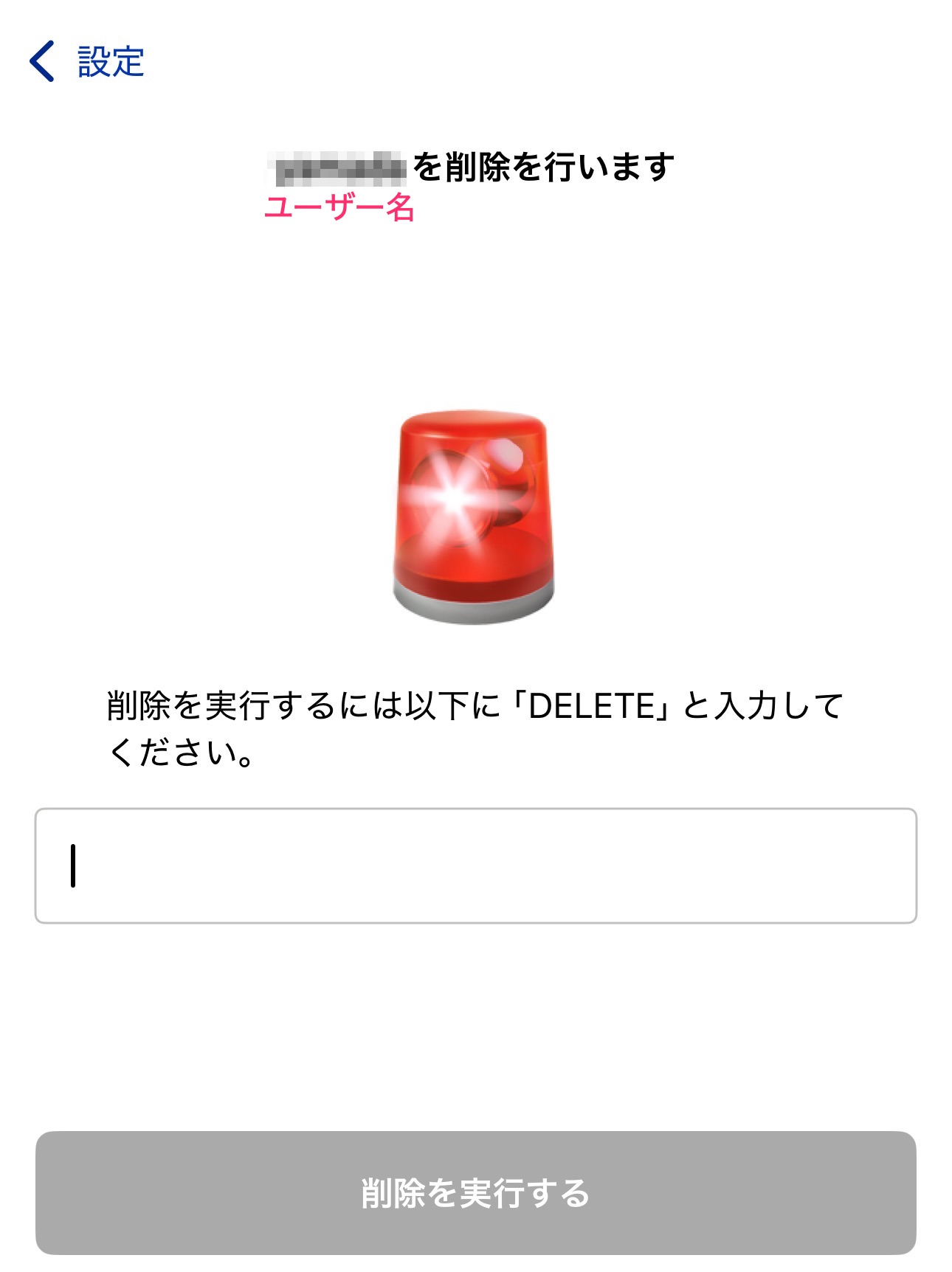
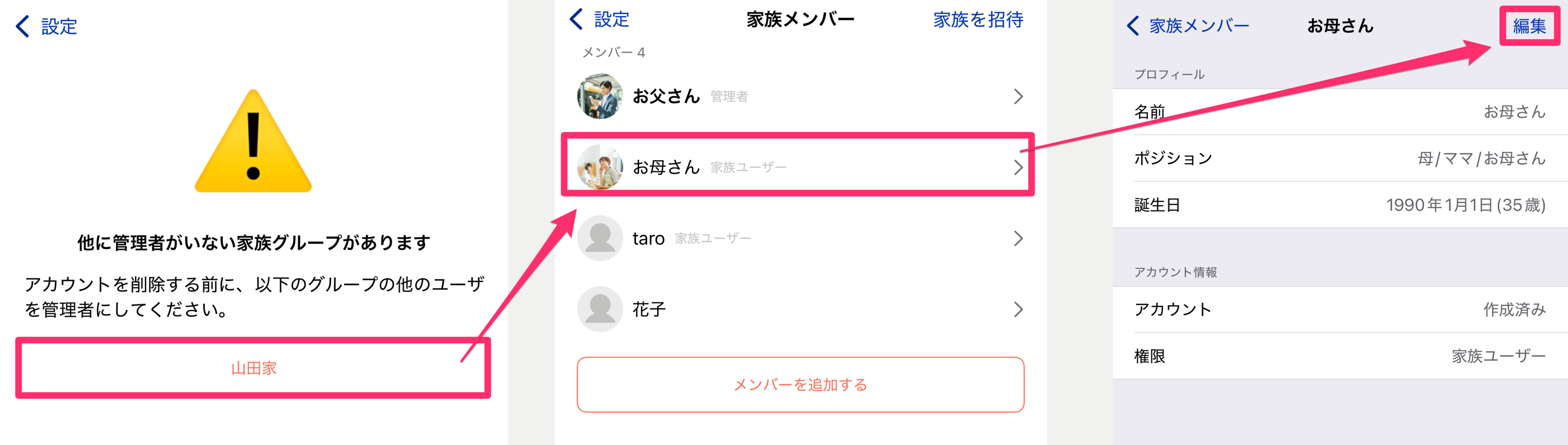
However, if other members belong to your family group and you are the only Admin, you cannot delete your account. In that case, change another family member to Admin first, then delete your account again.
Where can I use the calendar feature?
You can use it from the "Calendar" tab next to the Talk tab in the app.
You can also use it from Settings > Calendar "Show" within each Talk Room.
The calendar feature is currently available on iOS only. Calendar notifications are sent to the Android version, but the calendar feature itself is not yet available there.
If I edit a recurring event, do all occurrences change together?
No. You can choose the scope of the change when editing.
- This event only — Changes just the selected occurrence (others are unaffected)
- This and following — Applies to the selected date and later occurrences
- All — Applies to all occurrences, including past and future
Deletion supports the same three scopes. Please be careful with the scope selection when editing so you don't unintentionally rewrite past events.
Can I change my attendance (RSVP) for an event later?
I'm not receiving event reminder notifications.
Sometimes the other person doesn't get notified even when I mention them (@username).
Why is an event automatically posted to the Talk Room when I create it?
When you create a calendar event, a dedicated thread is automatically created in the linked Talk Room so family members can discuss the event.
Updates and deletions of the event are also posted to the same thread as messages. For recurring events, a separate thread is created for each event and each occurrence, so there's no worry about a specific day's discussion getting mixed in with another day's.