Create an account
Updated: 2026/04/22
Tap the [Get started] button on the app's top screen. If you received an invitation QR code from your family, tap the [I have an invitation] button.
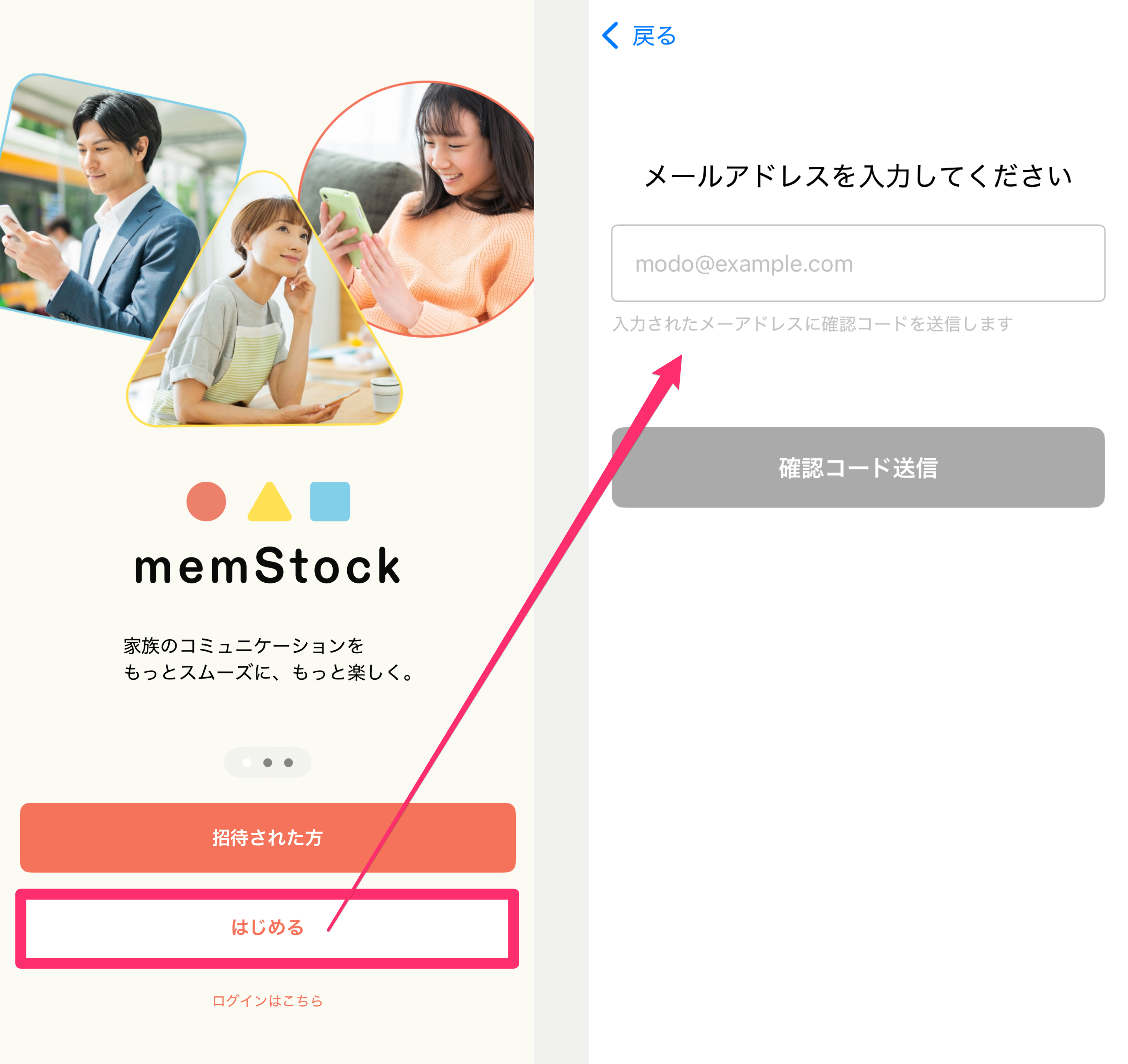
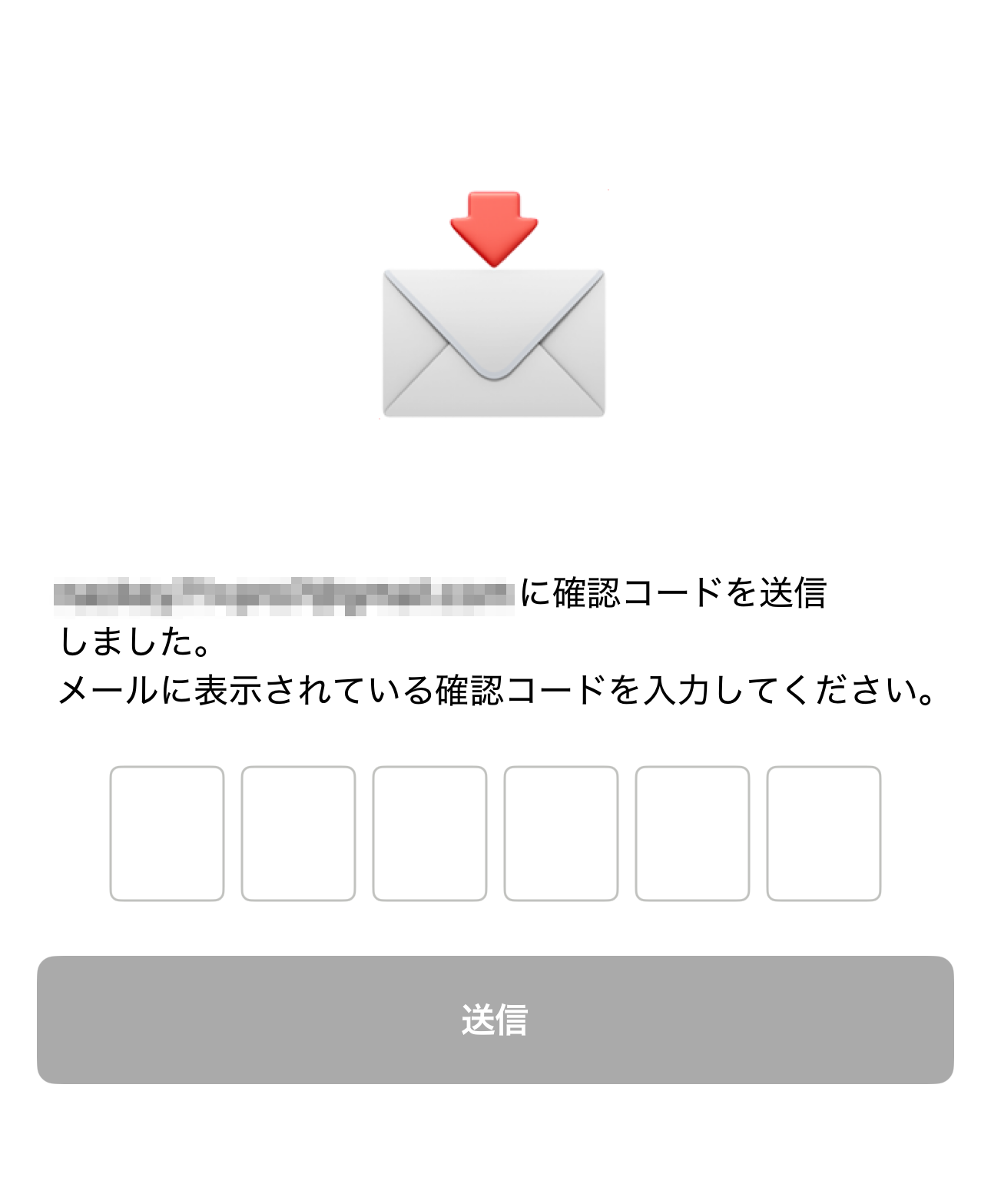
Enter your email address and tap [Send verification code], and an email with a 6-digit code will arrive. Enter the 6-digit code on the memStock screen to complete verification.
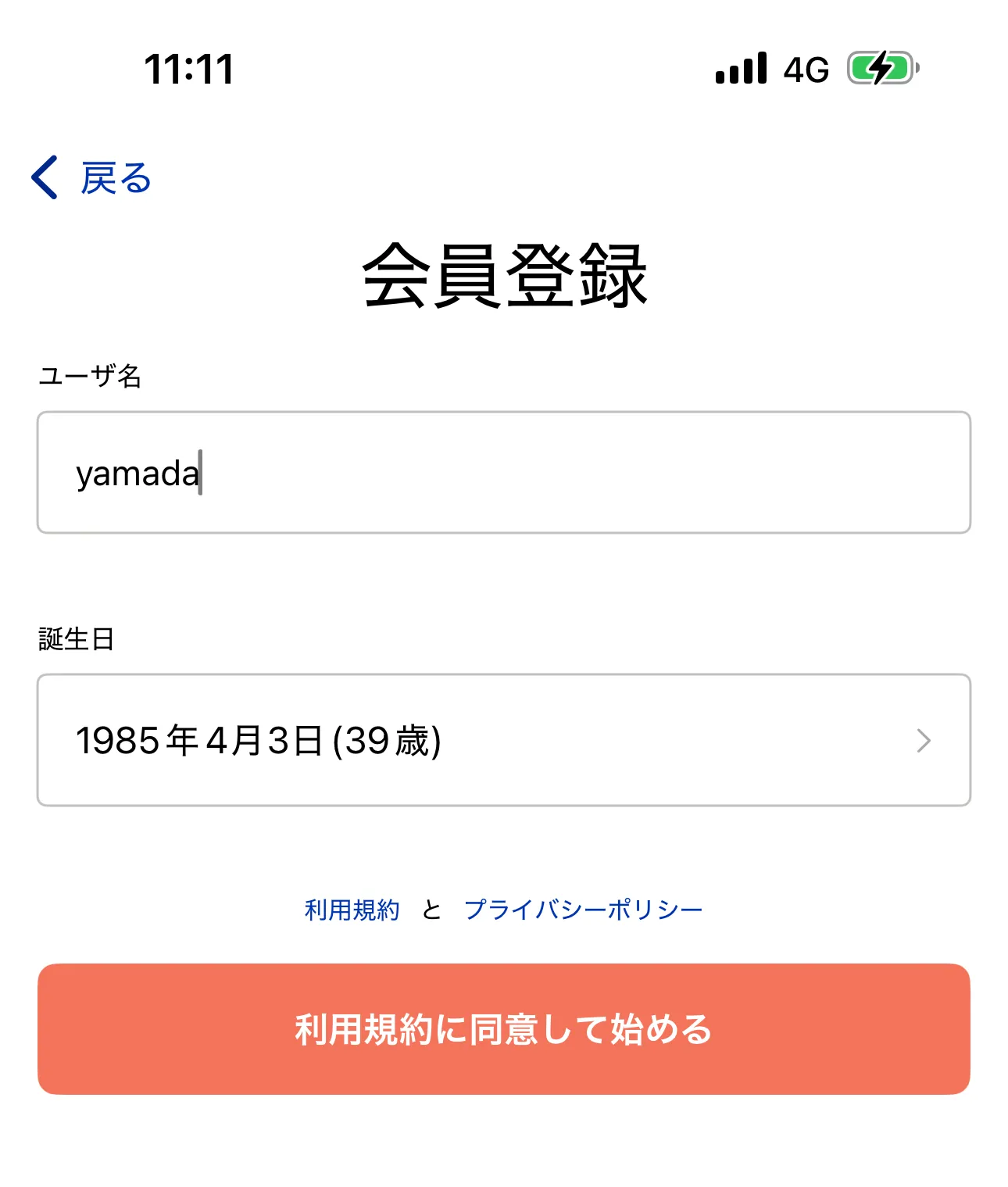
Create your account on the next screen.
After entering your username* and date of birth, review the Terms of Service and Privacy Policy and tap [Agree and get started] to finish creating your account.
*Your username is an account ID and is not shown to other users.