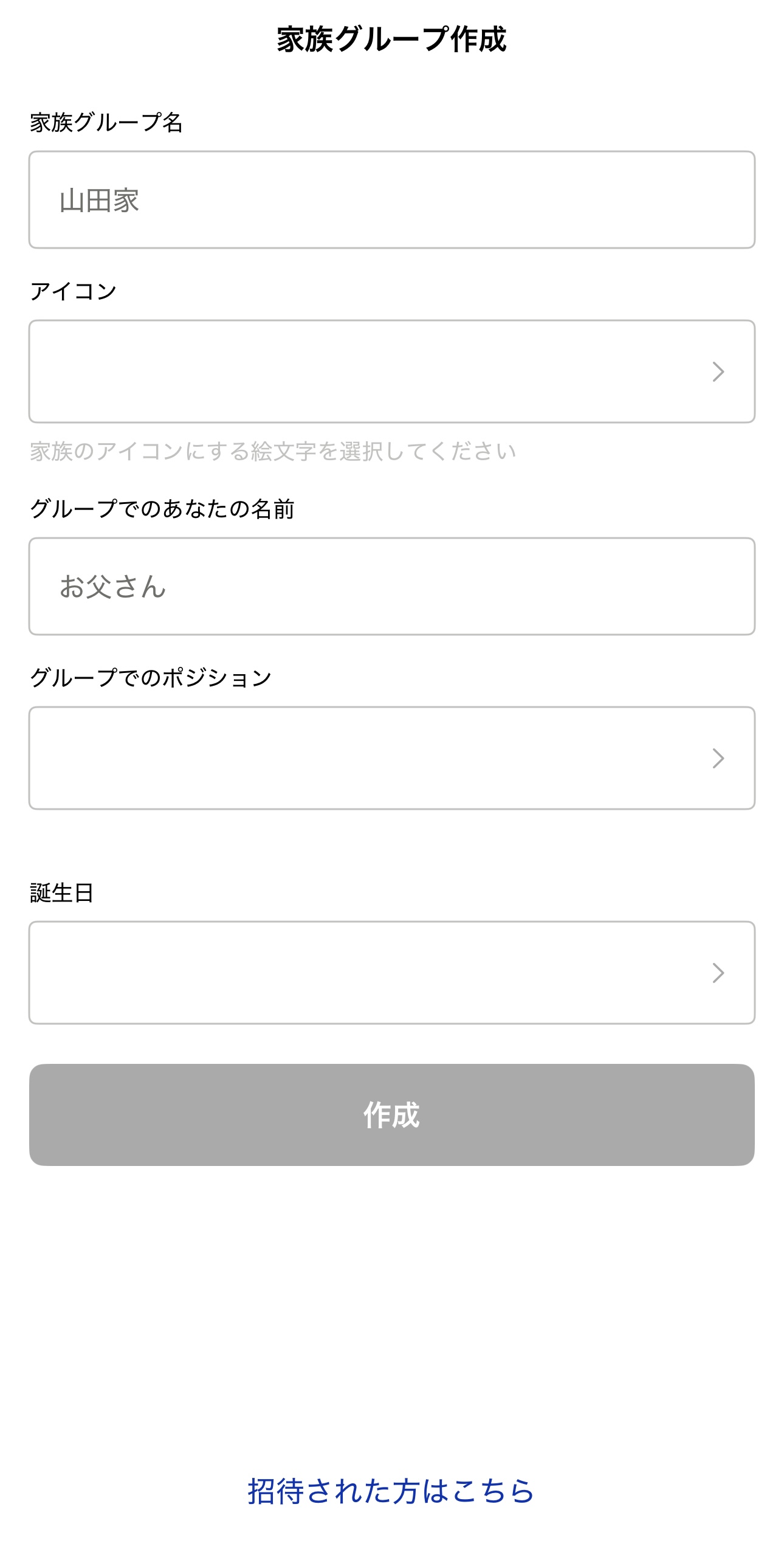
Create a family group
Updated: 2026/04/22
Create a group for the family you communicate with. You can add groups later, so start with the family you live with.
- Family group name Your family's name. Use your family surname or an easy-to-understand name that represents your family.
- Icon Choose freely from the emoji list.
- Your name in the group Use the name you're usually called by so your family recognizes you.
- Your relationship in the group Select your relationship within the family (e.g., Father, Daughter, Grandfather). If it's not in the list, select [Other] and enter it yourself.
- Date of birth Enter your date of birth.