
Add family members
Updated: 2026/04/22
Add members to your family group. Only Admin users can add family members. Family users and Guests should ask an Admin user to add them.
You can add them after creating Talk Rooms during initial setup, or from [Family settings - Member list] > [Add member] on the settings screen.
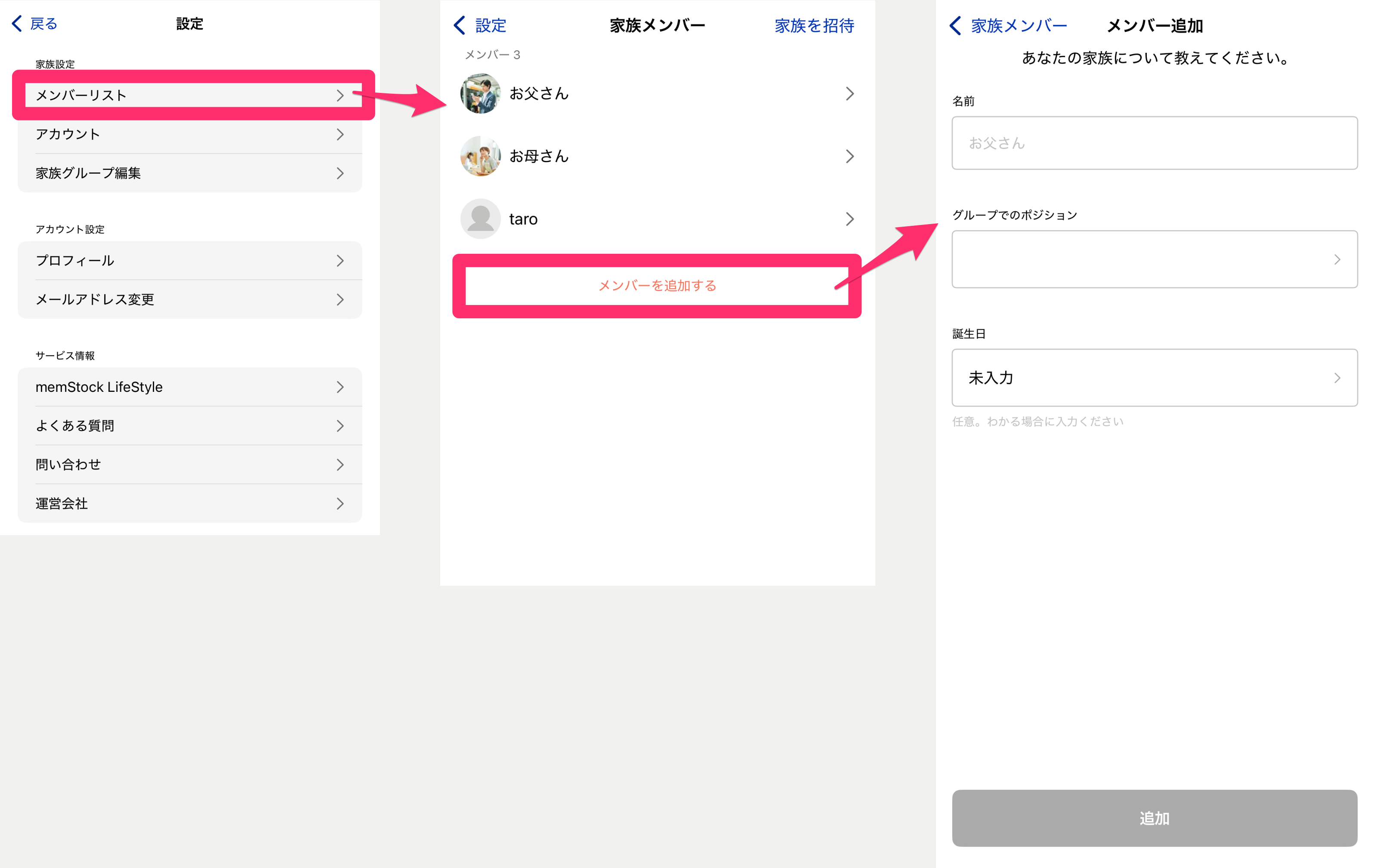
- Name The name of the member to add. The person being added can edit this later.
- Your relationship in the group Select the member's relationship (role) within the group. If there's no matching item, select Other.
- Date of birth Enter the member's date of birth. If you don't know it, you can proceed without selecting it. You can change it later, so it's fine to skip.