Invite your family
Updated: 2026/04/22
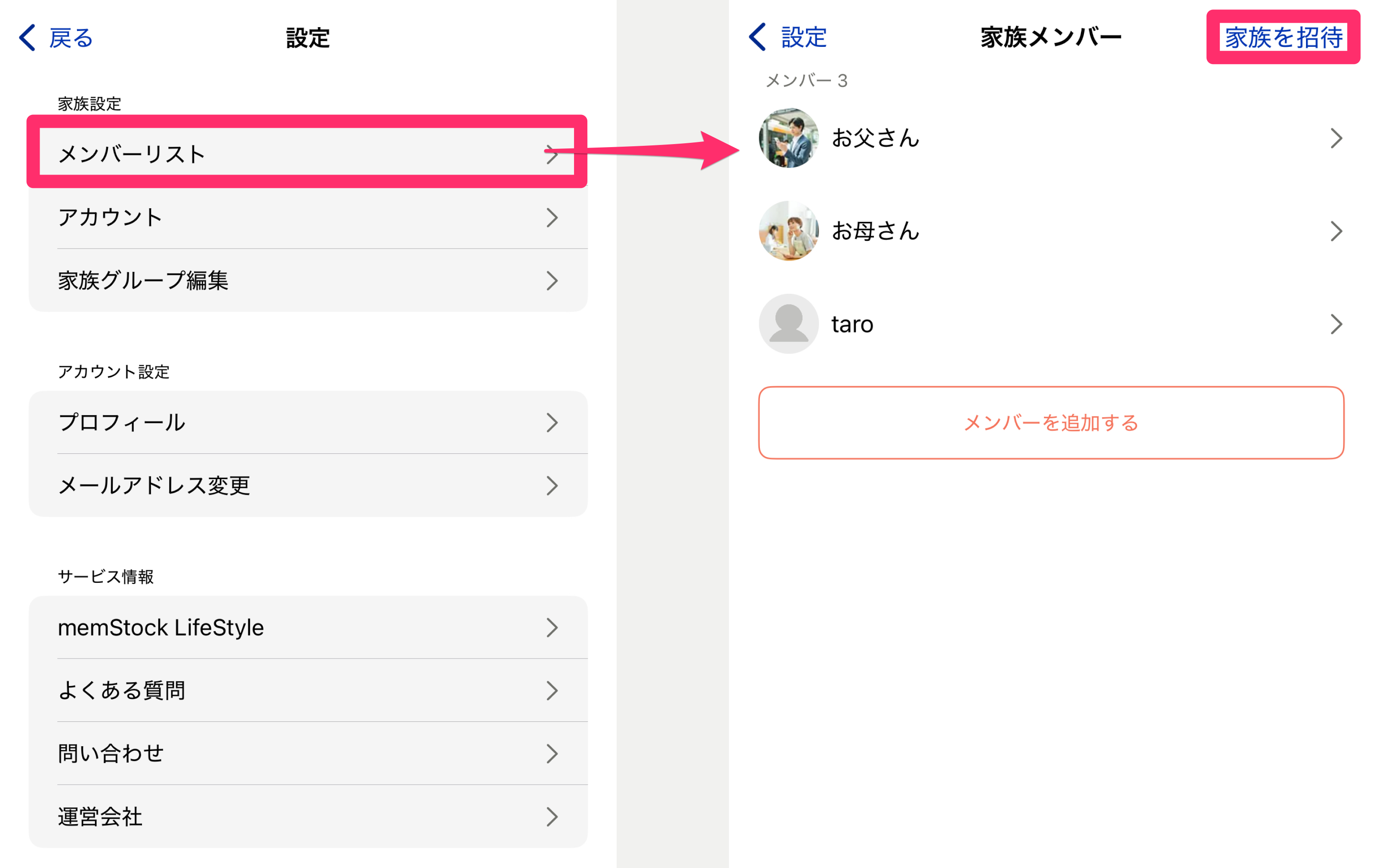
Invite the members you added. You can invite them from [Family settings - Member list] > [Invite family] on the settings screen.
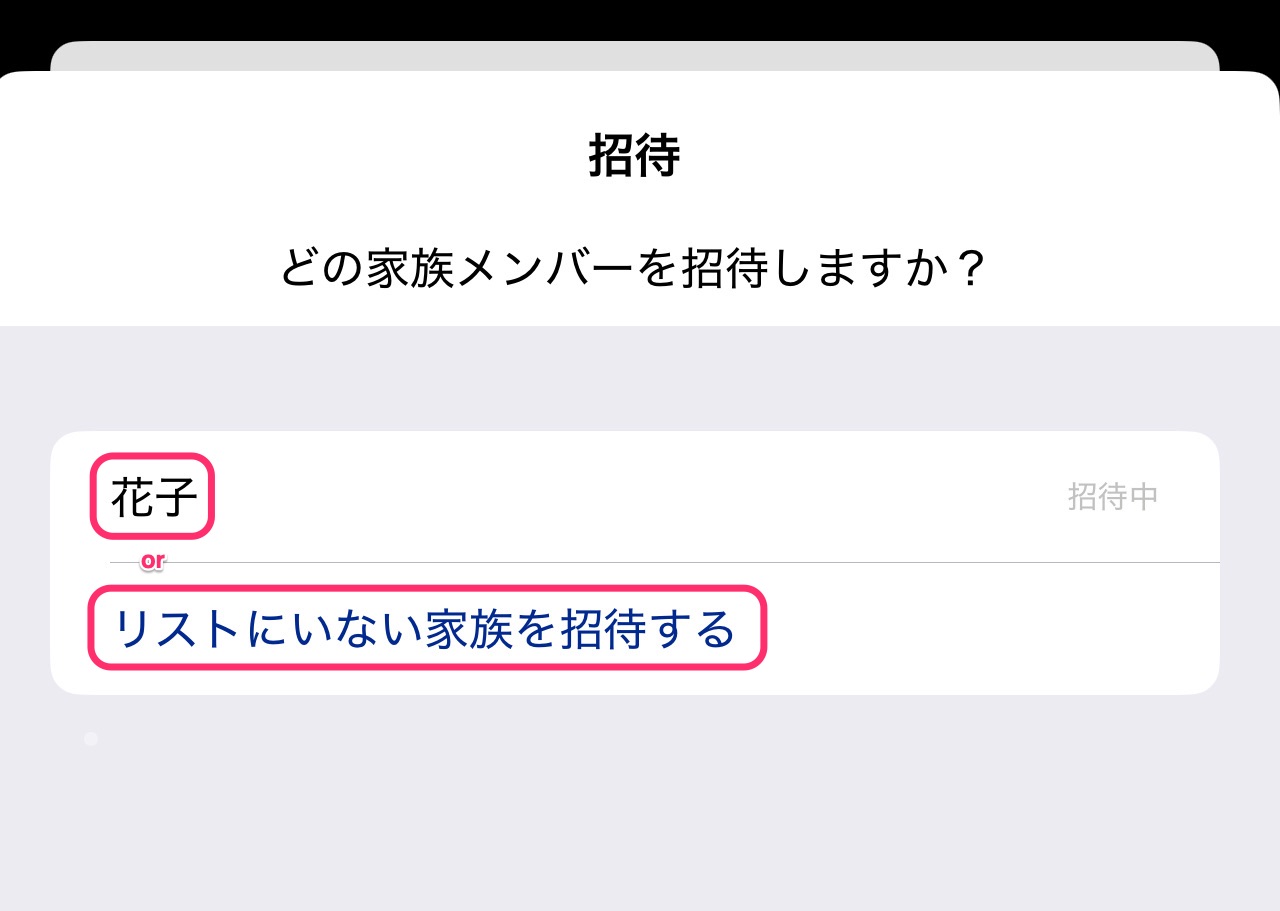
Choose the member you want to invite from the invitation screen, or if there are no members, add one using the [Invite a family member not on the list] button.
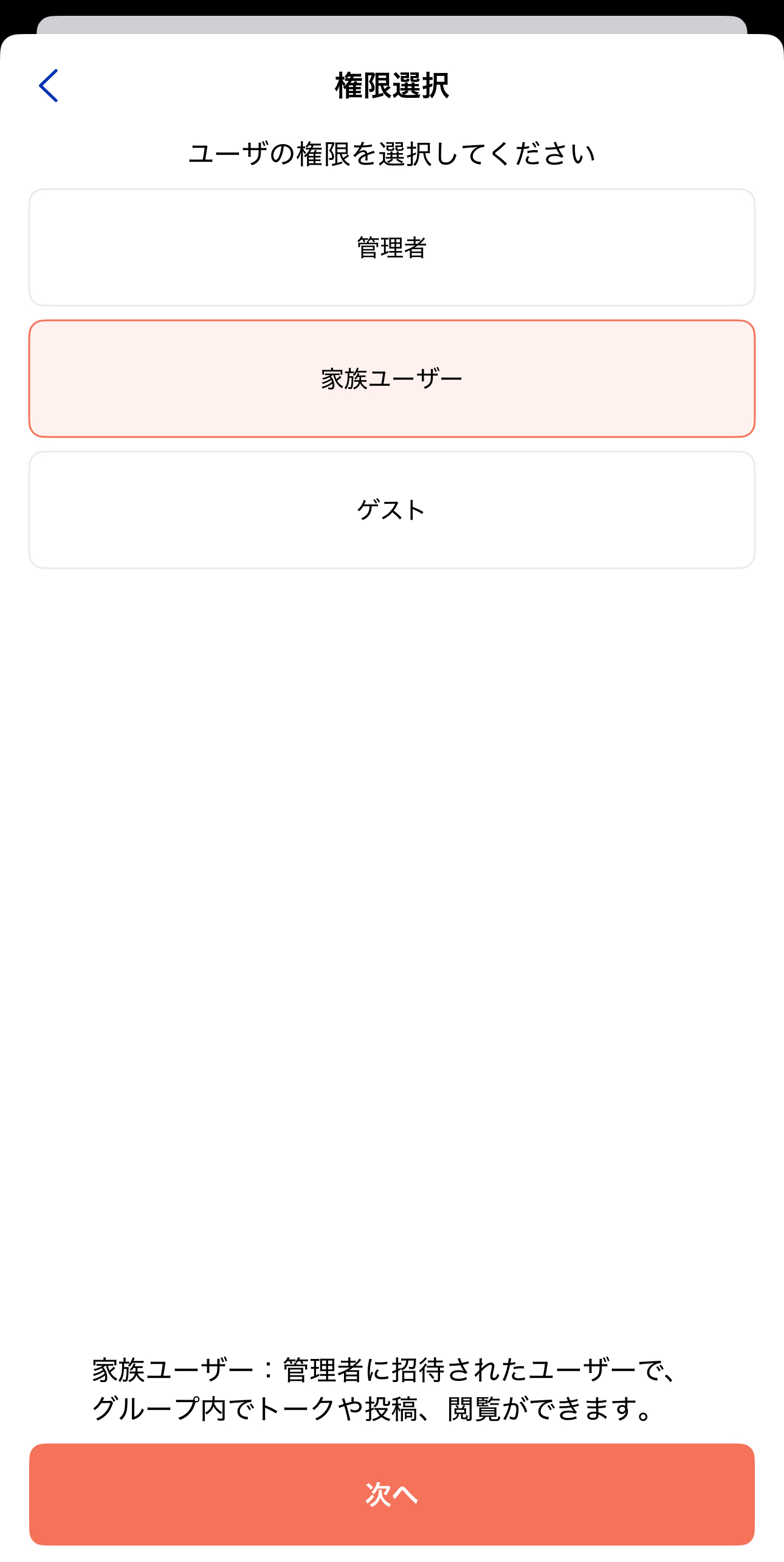
After selecting the member to invite, choose the user's permission on the next screen. See What's the difference between Admin, Family user, and Guest? for the differences.
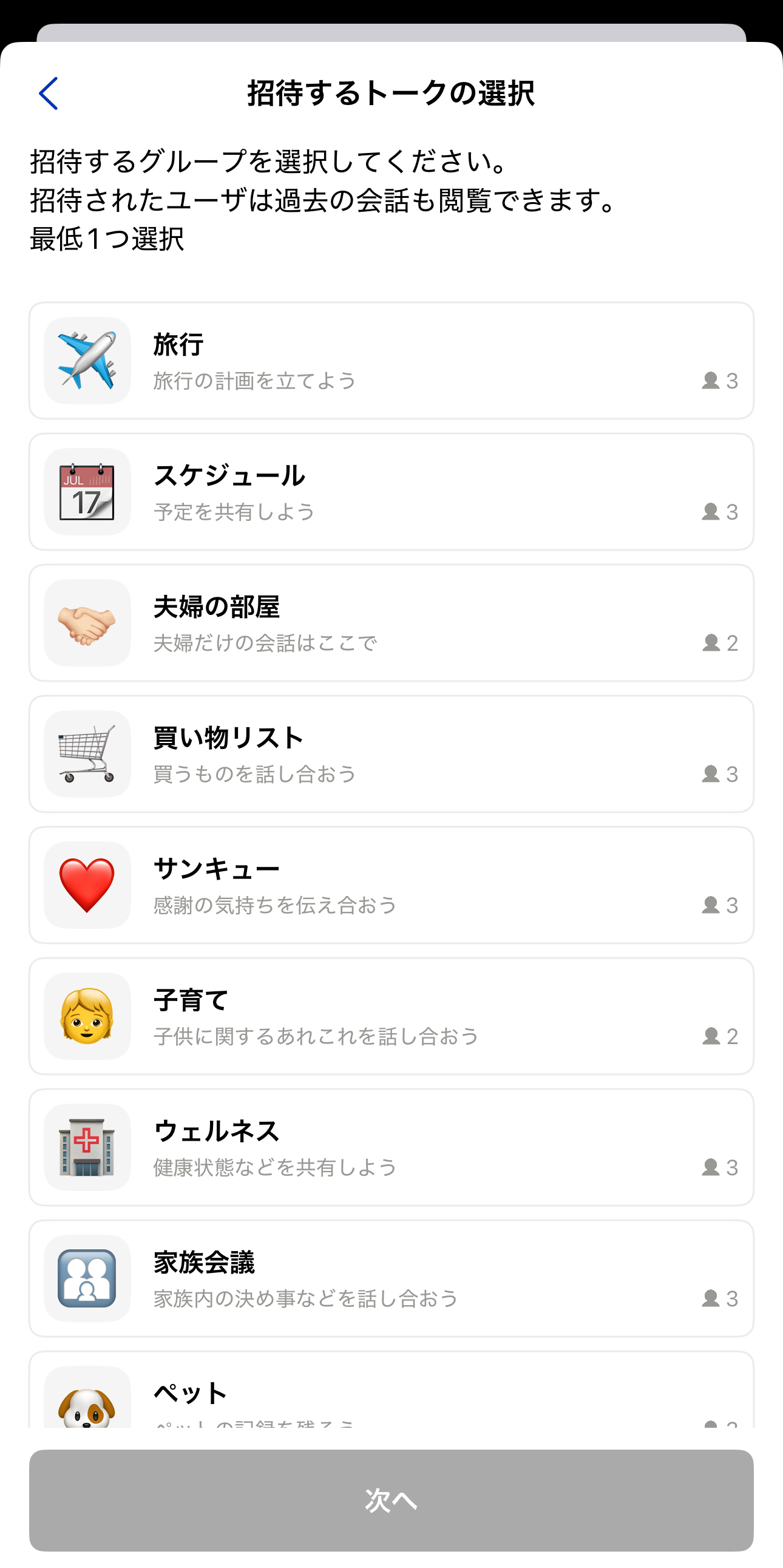
Next, select the Talk Rooms to invite them to. Choose the Talk Rooms you want the invited member to join (at least one).
*Note that members who join will also be able to see the Talk history from before they joined.
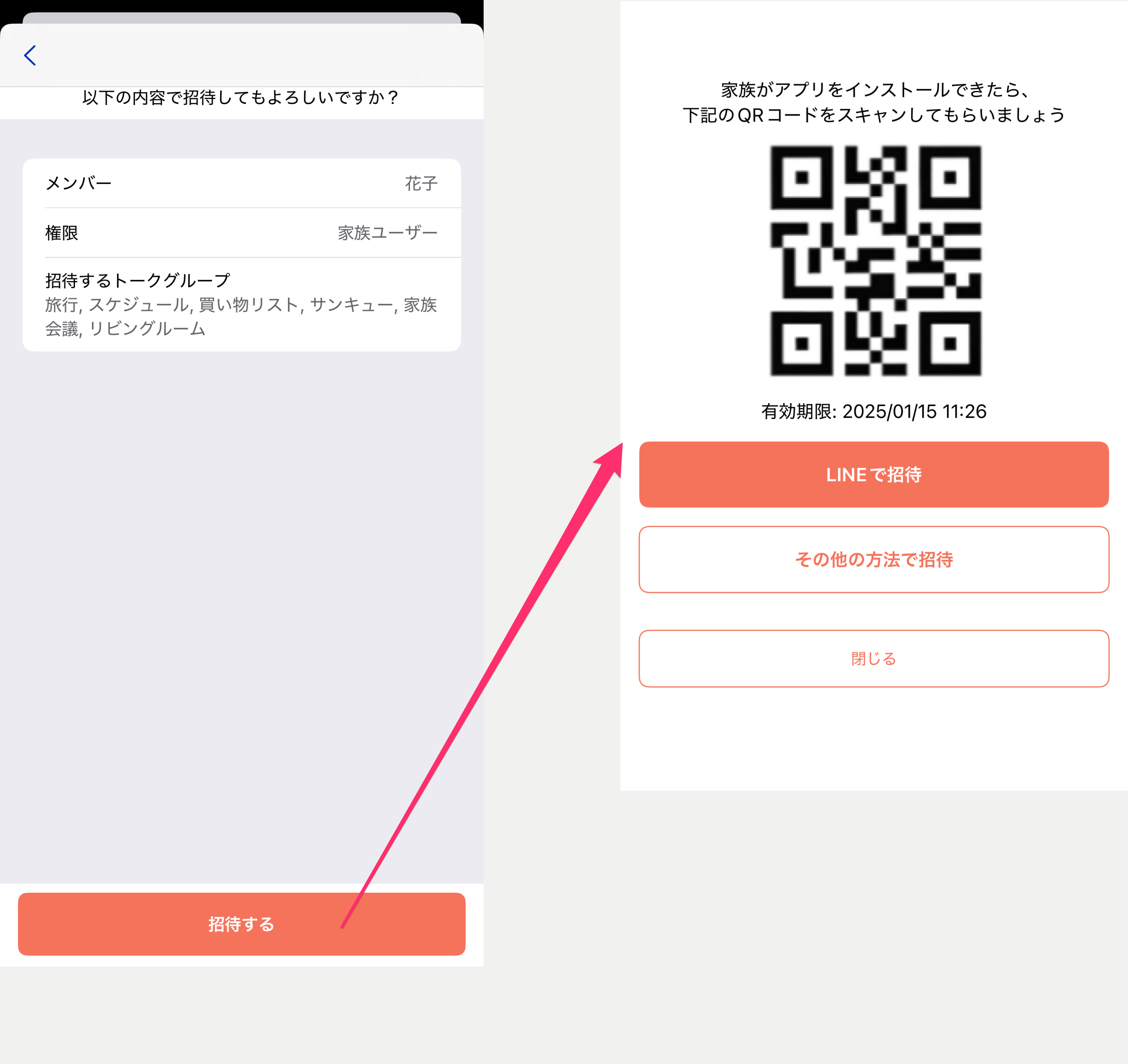
Finally, review the details and press the [Invite] button to display a QR code. Have the person you're inviting scan it, or use the share button to share it via a service like LINE.
*Invitations are valid for 24 hours. If it expires, invite them again.